← All demos · DQ · 20 screens · example data
Try SurgePV on your own project
From the demo form to a 14-day pilot on a real roof, to a licence
Book a demo on your own roof
DQ01
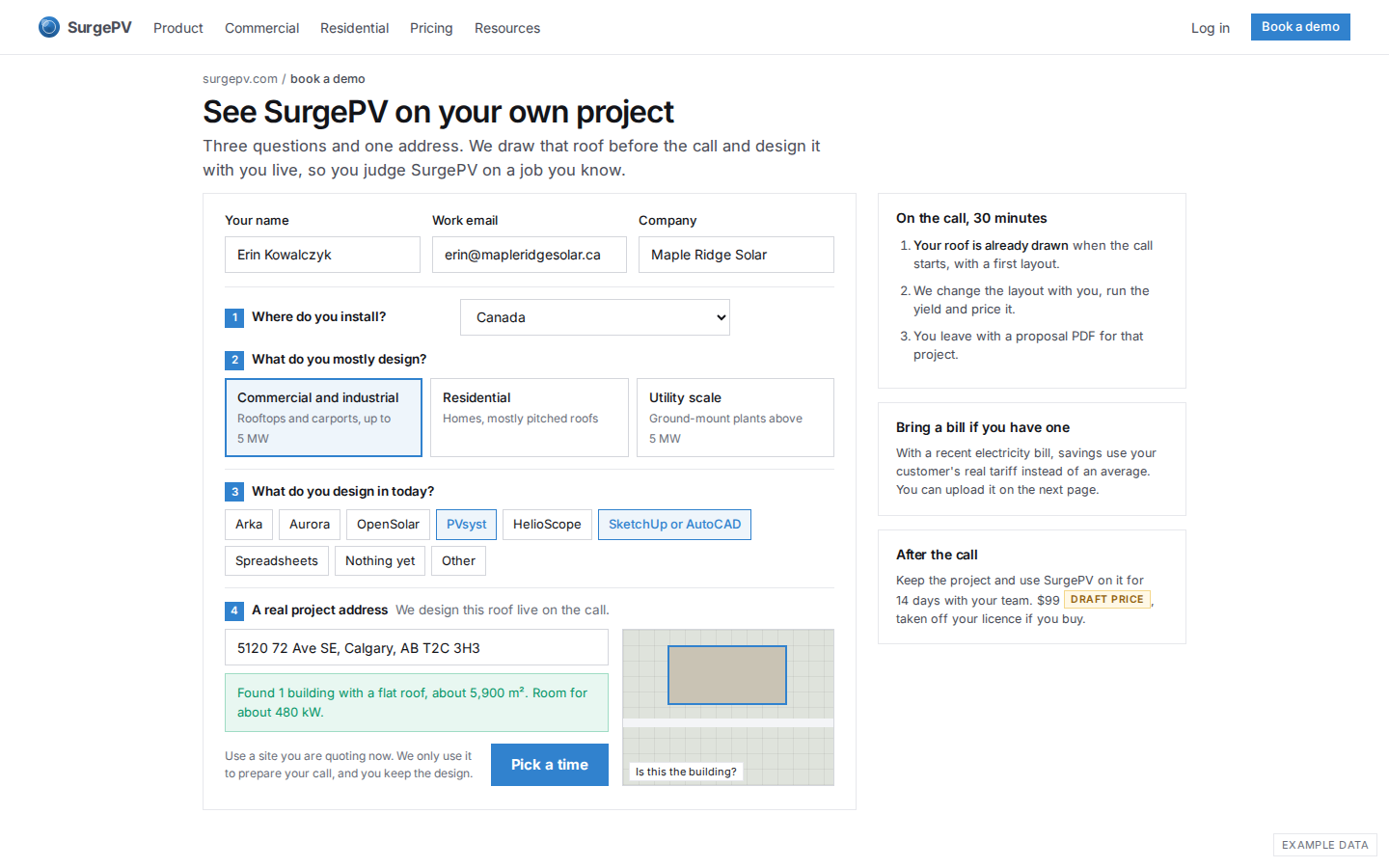
Book a demo on your own project
Three questions and one real address. The roof is found on the page, so the prospect sees their building before booking, and the call is spent designing it.
DQ02
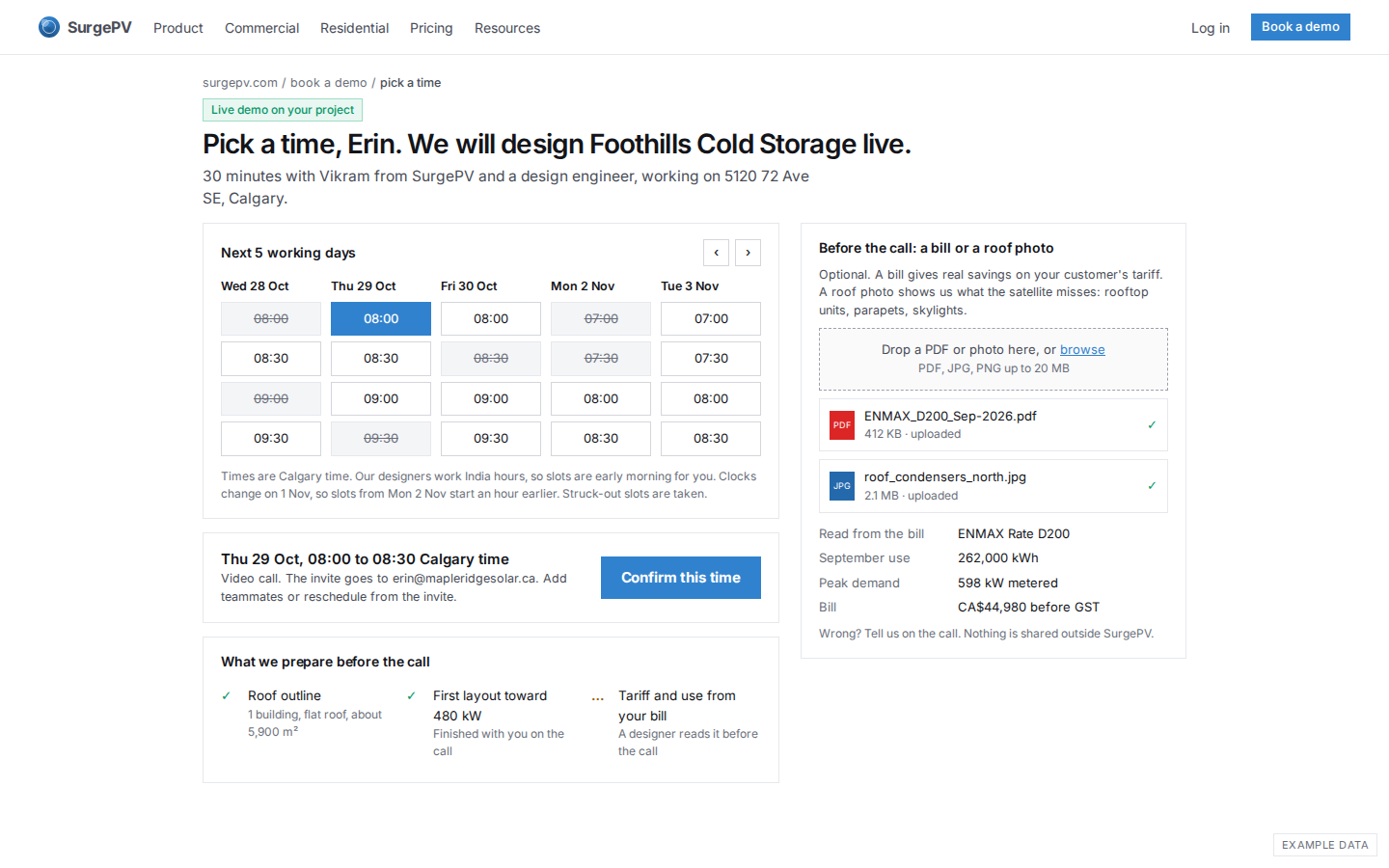
Pick a time and upload a bill
Slots are shown in Calgary time, early morning because the design team works India hours, including the clock change on 1 Nov. A bill or roof photo uploaded here is read by a designer before the call.
The live demo
14-day pilot on your project
DQ04
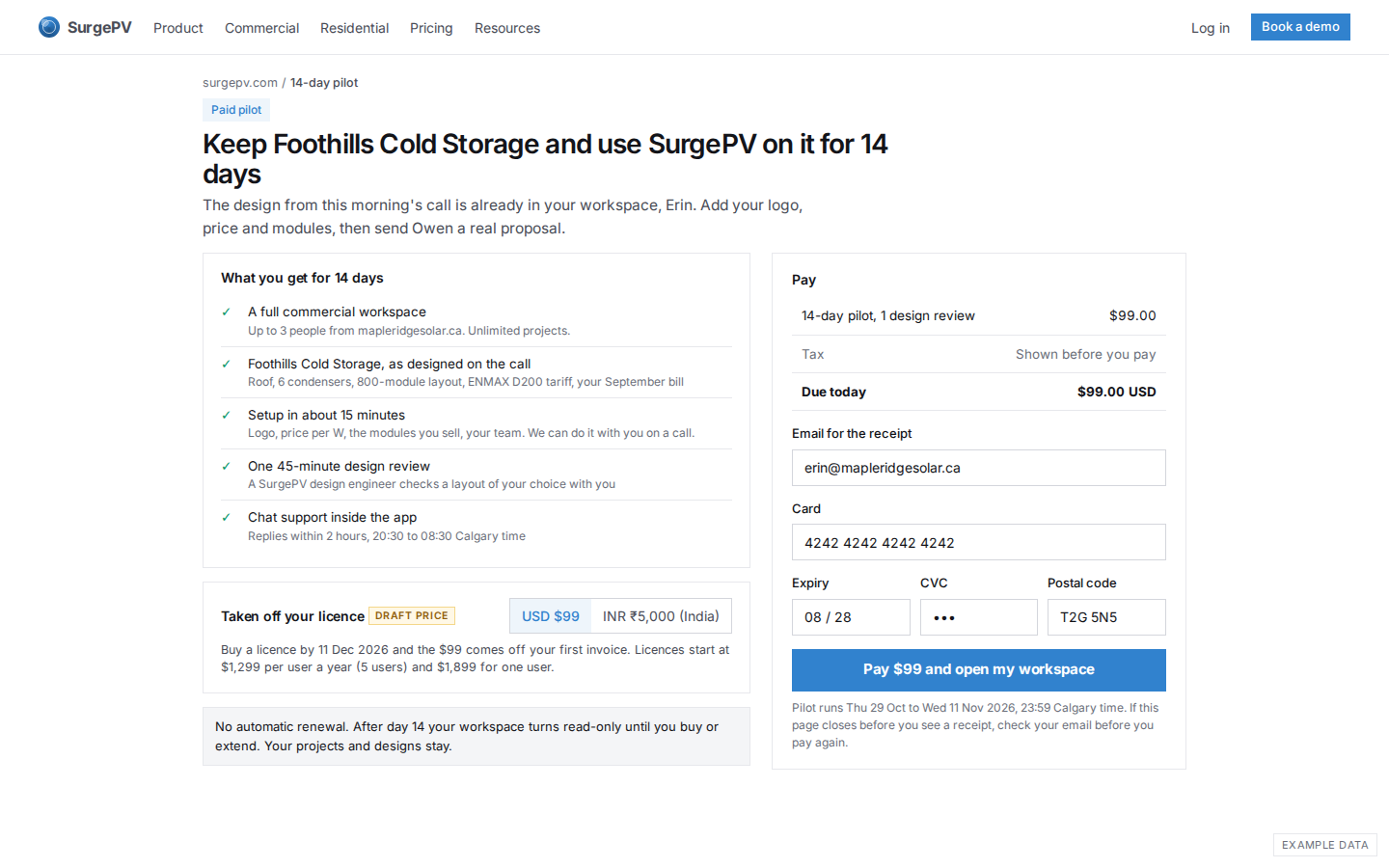
Pilot checkout: $99, taken off the licence
After the call the prospect keeps the project and pays $99 for 14 days with up to 3 users and one design review. The $99 comes off the first licence invoice. No automatic renewal. The price is a draft.
DQ05
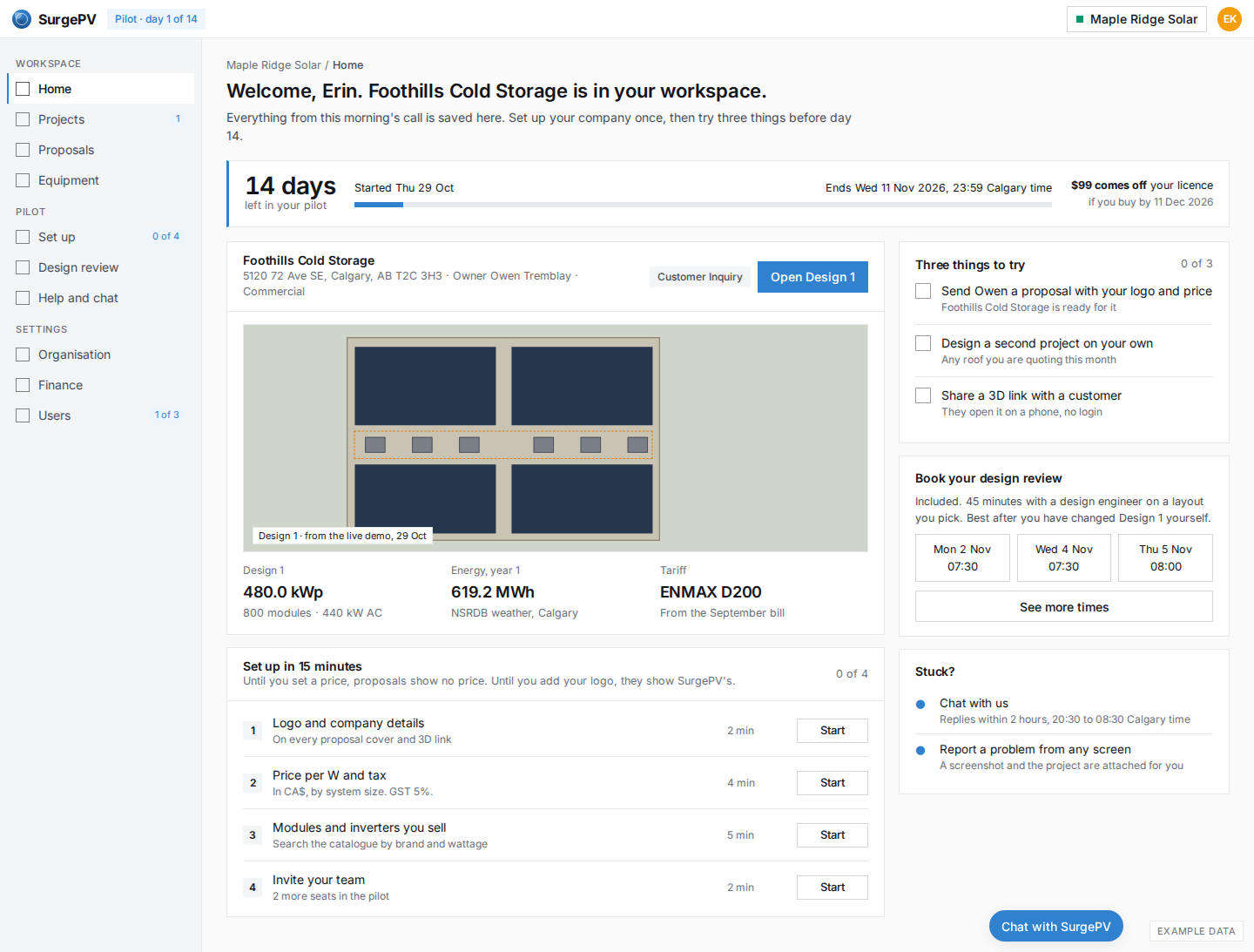
Pilot workspace, day 1
First login: the project from the call is waiting with status Customer Inquiry, the countdown says 14 days and the credit date, and two lists say what to do: set up in 15 minutes, then three things to try.
DQ06
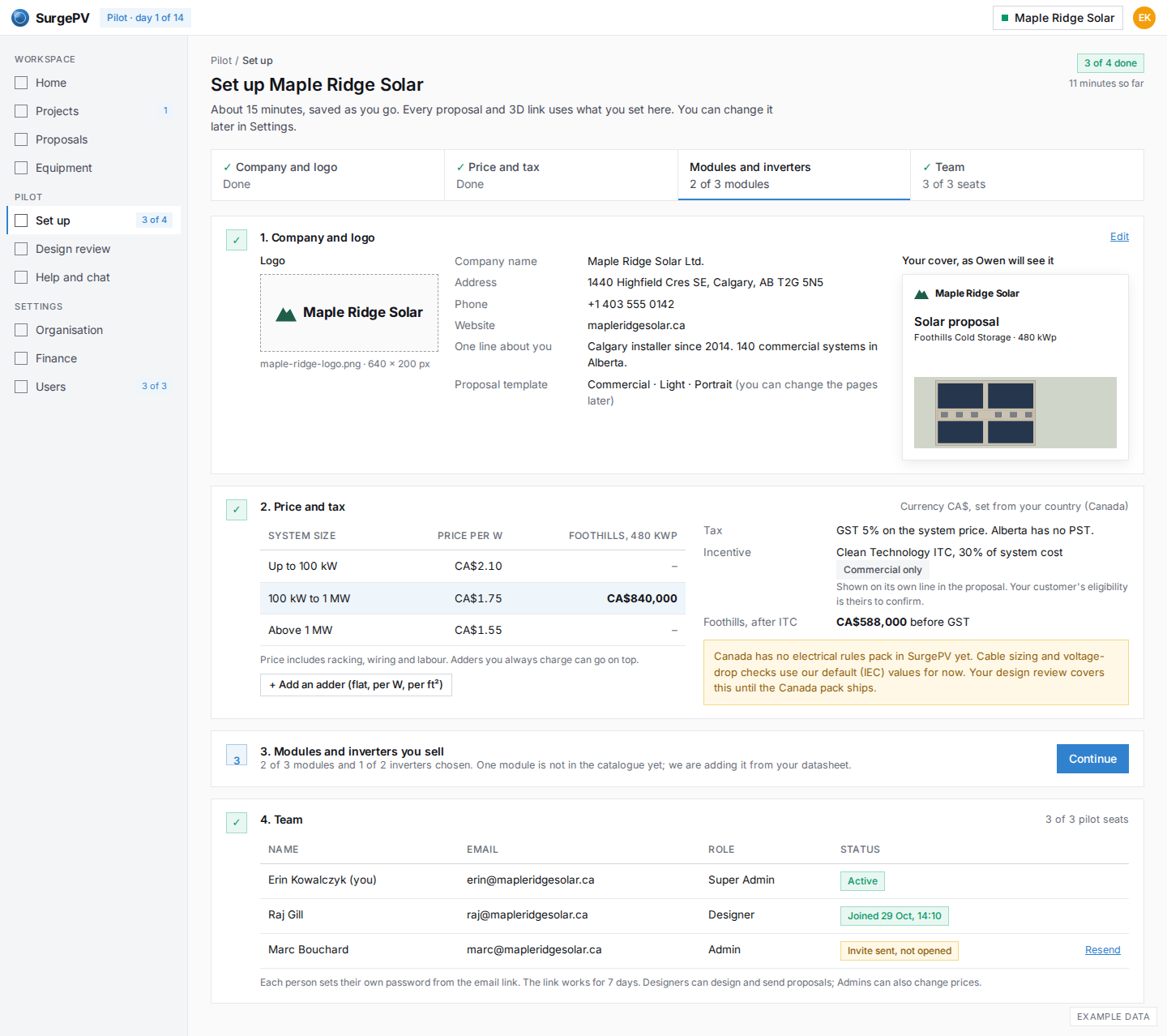
Set up: company, price, team
One page for the company details and logo, the price per W by system size in CA$, GST, the 30% ITC and the team. It says plainly that Canada has no electrical rules pack yet.
DQ07
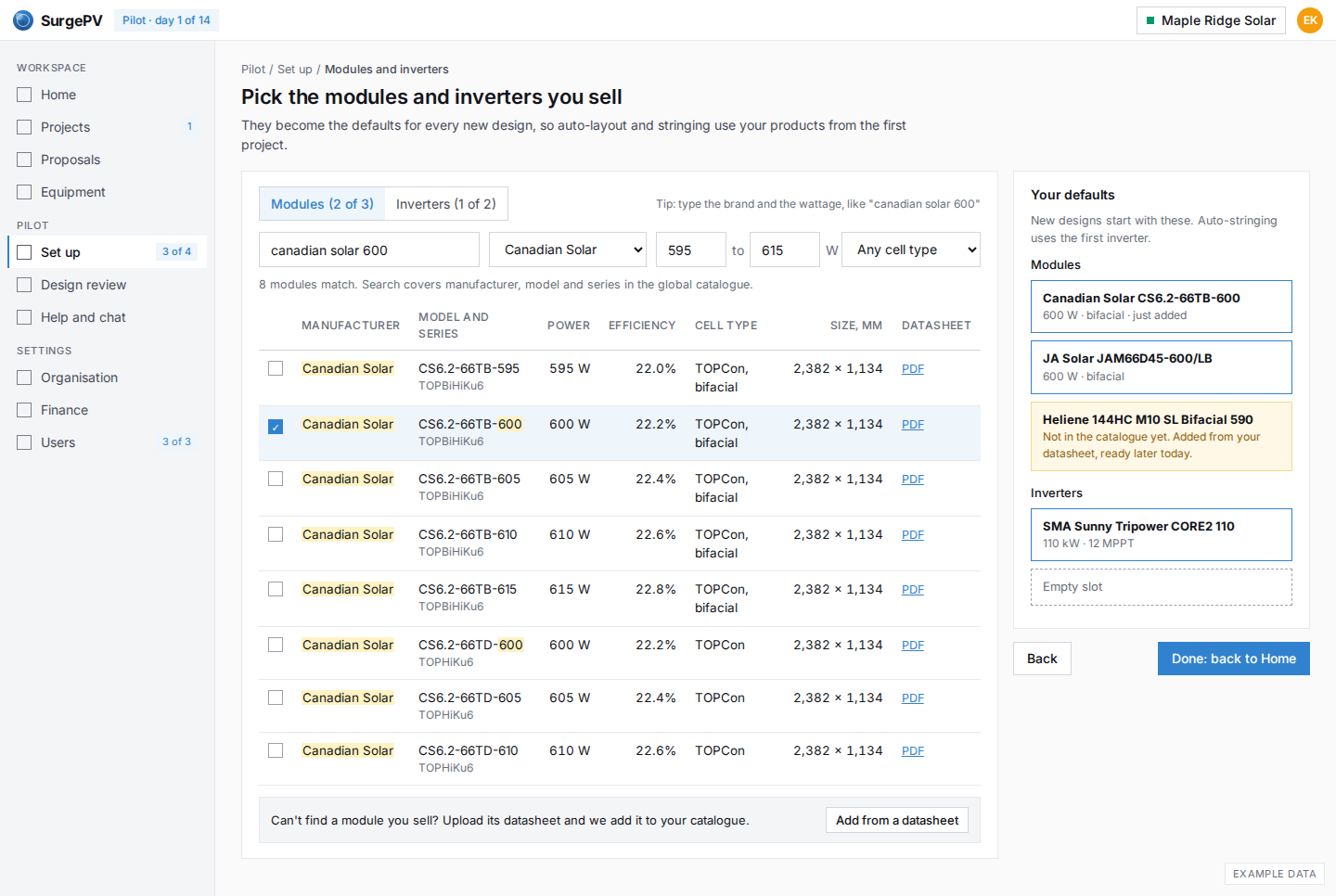
Set up: find the modules you sell
Search by brand and wattage with a power range: 8 matches instead of a long list. The chosen modules and inverter become the defaults for every new design. A module that is not listed goes to the datasheet path.
First result for your customer
DQ08
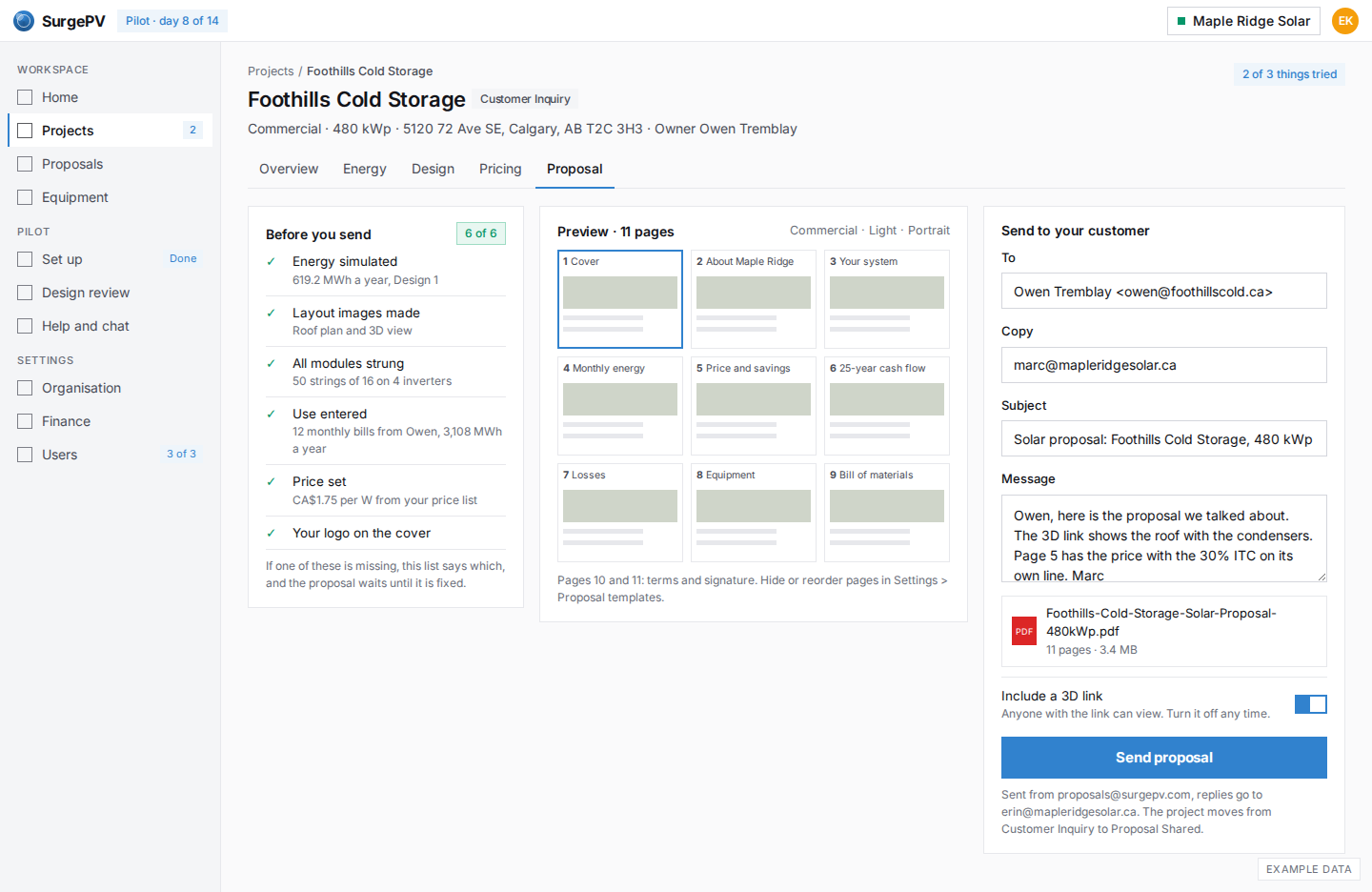
Send the proposal
Six checks say the proposal is ready, in plain words. The installer sends it to Owen with the PDF and a 3D link. Sending moves the project from Customer Inquiry to Proposal Shared.
DQ09
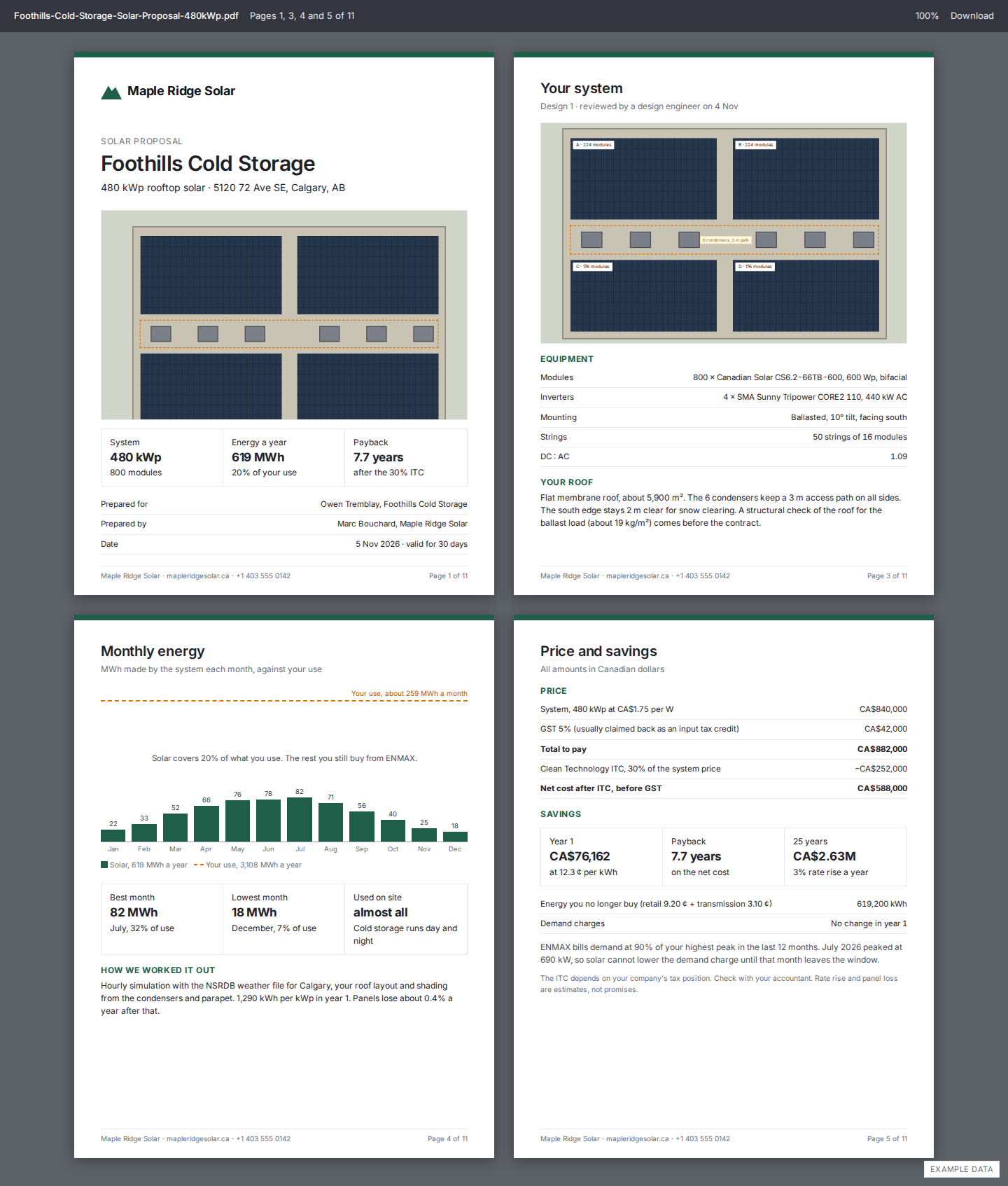
The proposal PDF Owen receives
Four of the 11 pages: the cover with Maple Ridge's logo, the system, monthly energy against use, and price and savings with the 30% ITC on its own line and the demand-charge ratchet explained.
DQ10
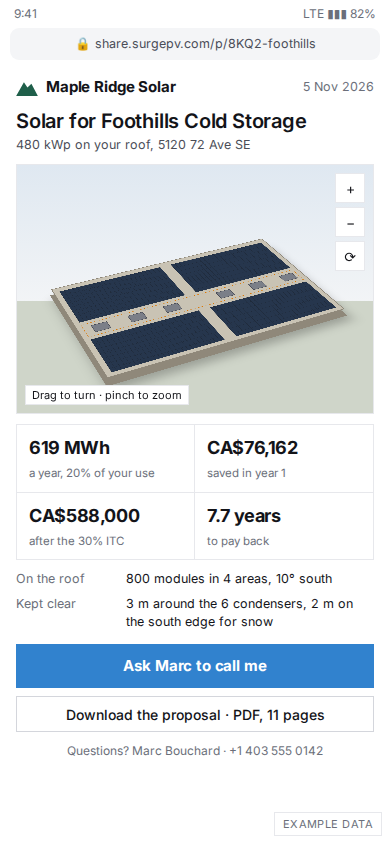
Phone: Owen opens the 3D link
The building owner opens the link on his phone with no login: the roof in 3D under the installer's brand, four numbers and one button to ask the installer to call.
Help during the pilot
DQ11
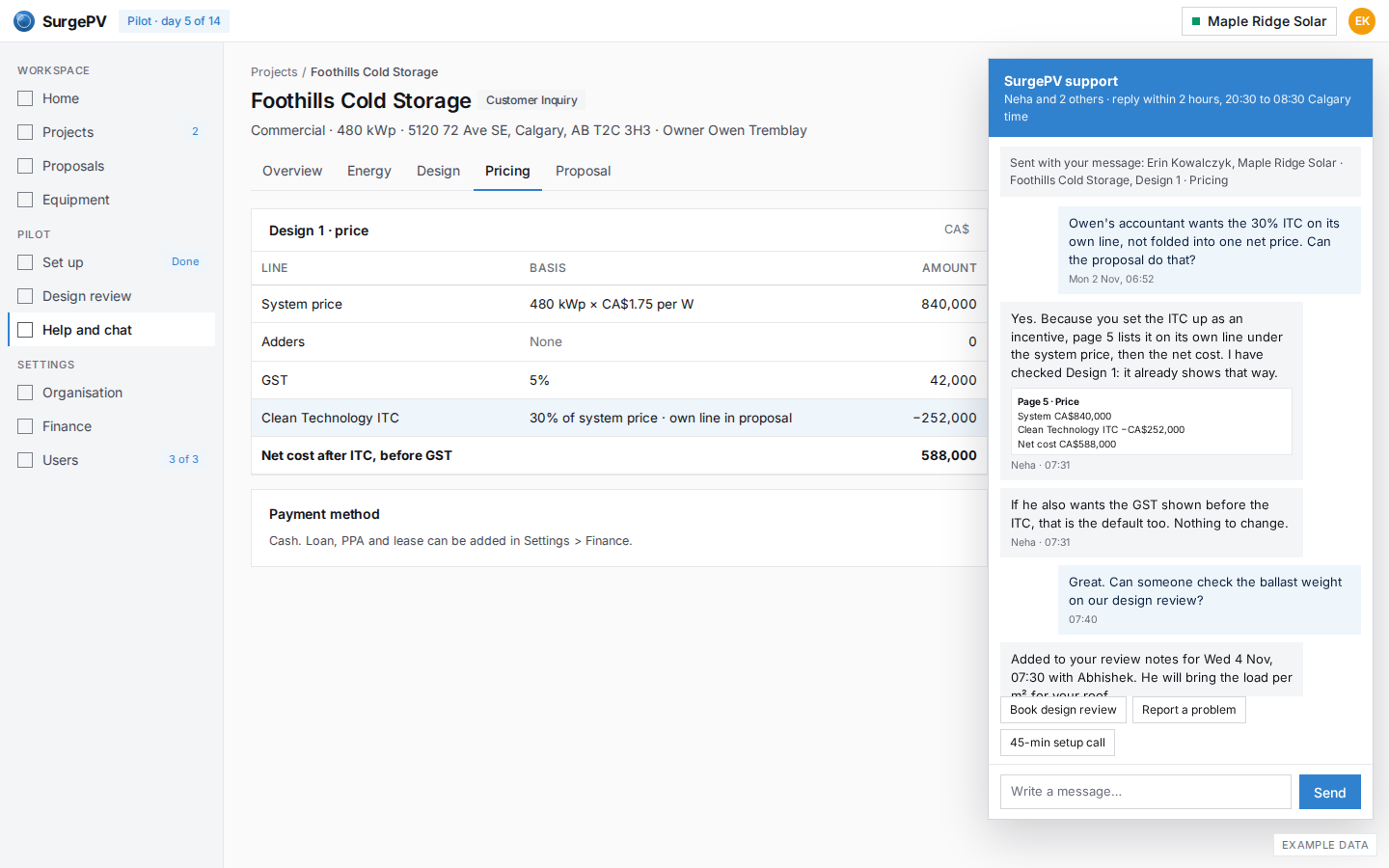
Chat support in the app
Chat opens beside the work and support already sees who is asking and on which project. Hours are stated in the installer's time zone: replies within 2 hours, 20:30 to 08:30 Calgary time.
DQ12
Design review notes
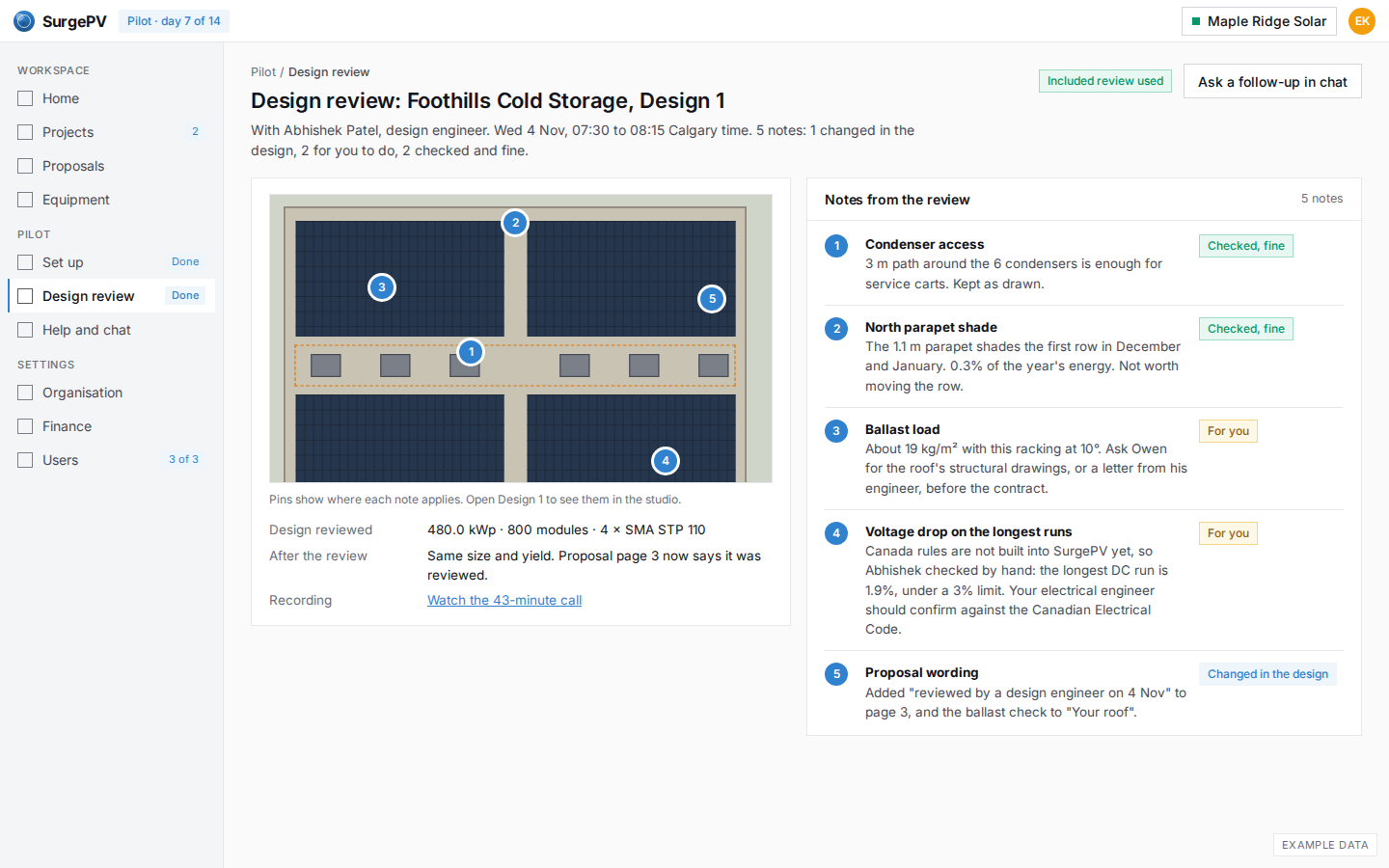
After the 45-minute review, five notes pinned on the roof: two checked and fine, two for the installer (ballast load, voltage drop under Canadian rules) and one change made in the design.
DQ13
Report a problem with a screenshot
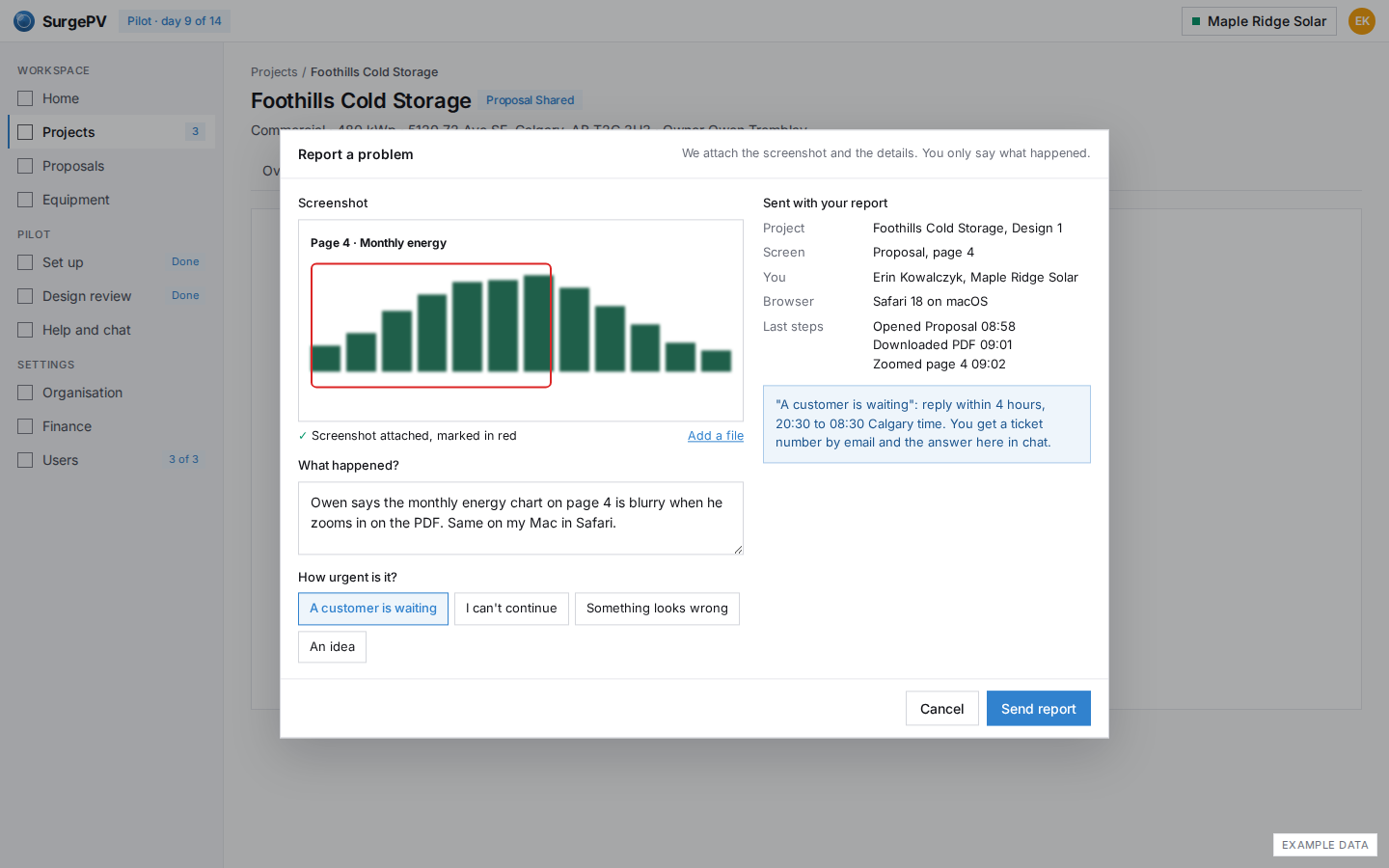
Report a problem from any screen: the screenshot is attached and marked, the project, page, browser and last steps are added for you. The urgency choice sets the reply time.
Day 14: decide
When something goes wrong
DQ15
Phone: address not found, drop a pin
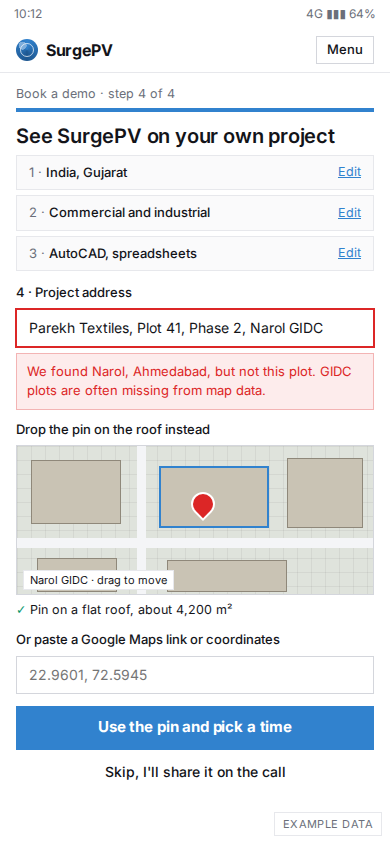
On a phone, an Indian EPC types a GIDC plot address that maps do not know. The page finds the area, lets him drop a pin on the roof or paste coordinates, or skip and share it on the call. A failed lookup never blocks the booking.
DQ16
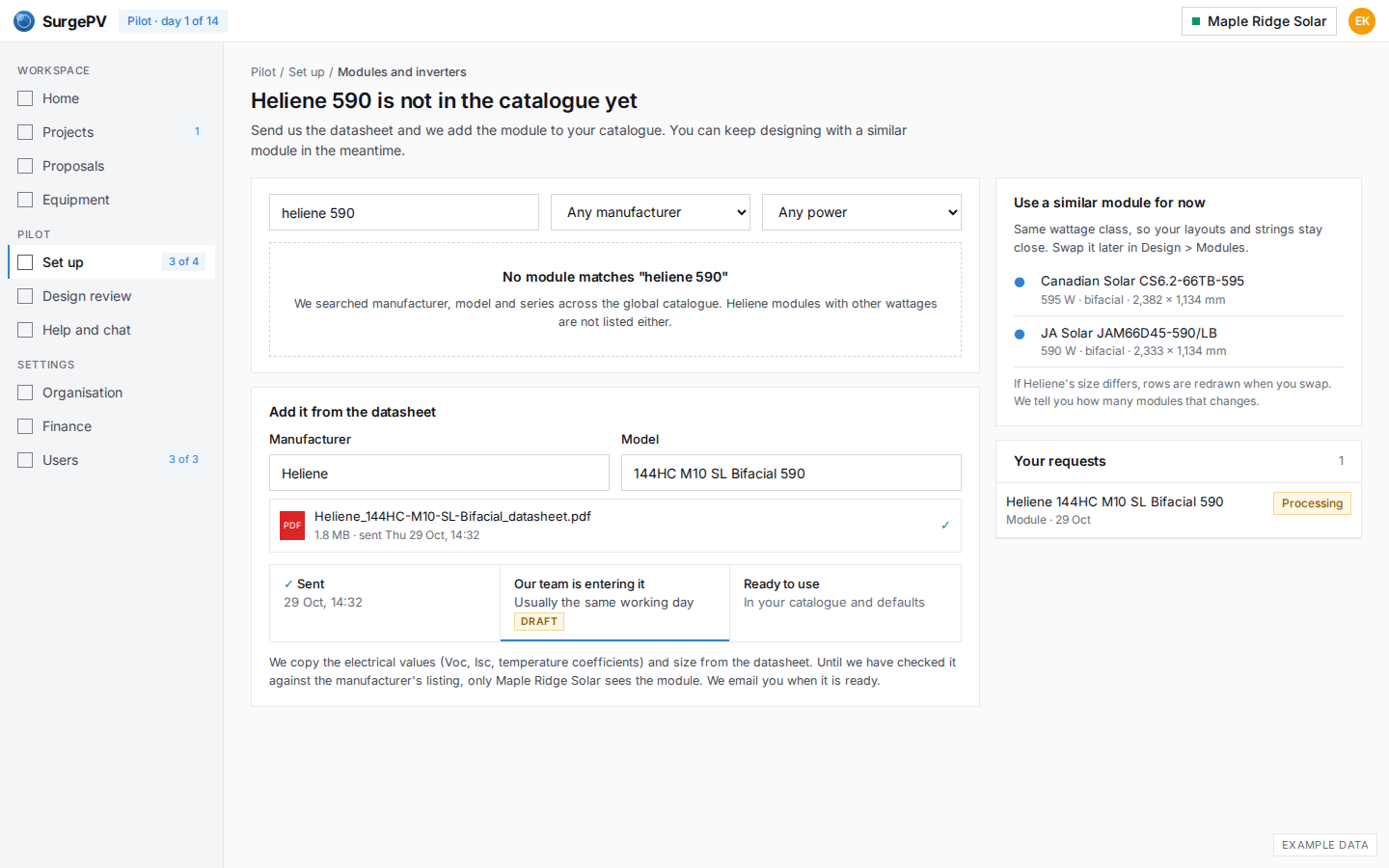
Module not in the catalogue: add it from the datasheet
Heliene 590 is not listed. The installer uploads the datasheet, sees where the request is and when to expect it, and keeps designing with a similar module until it is ready.
DQ17
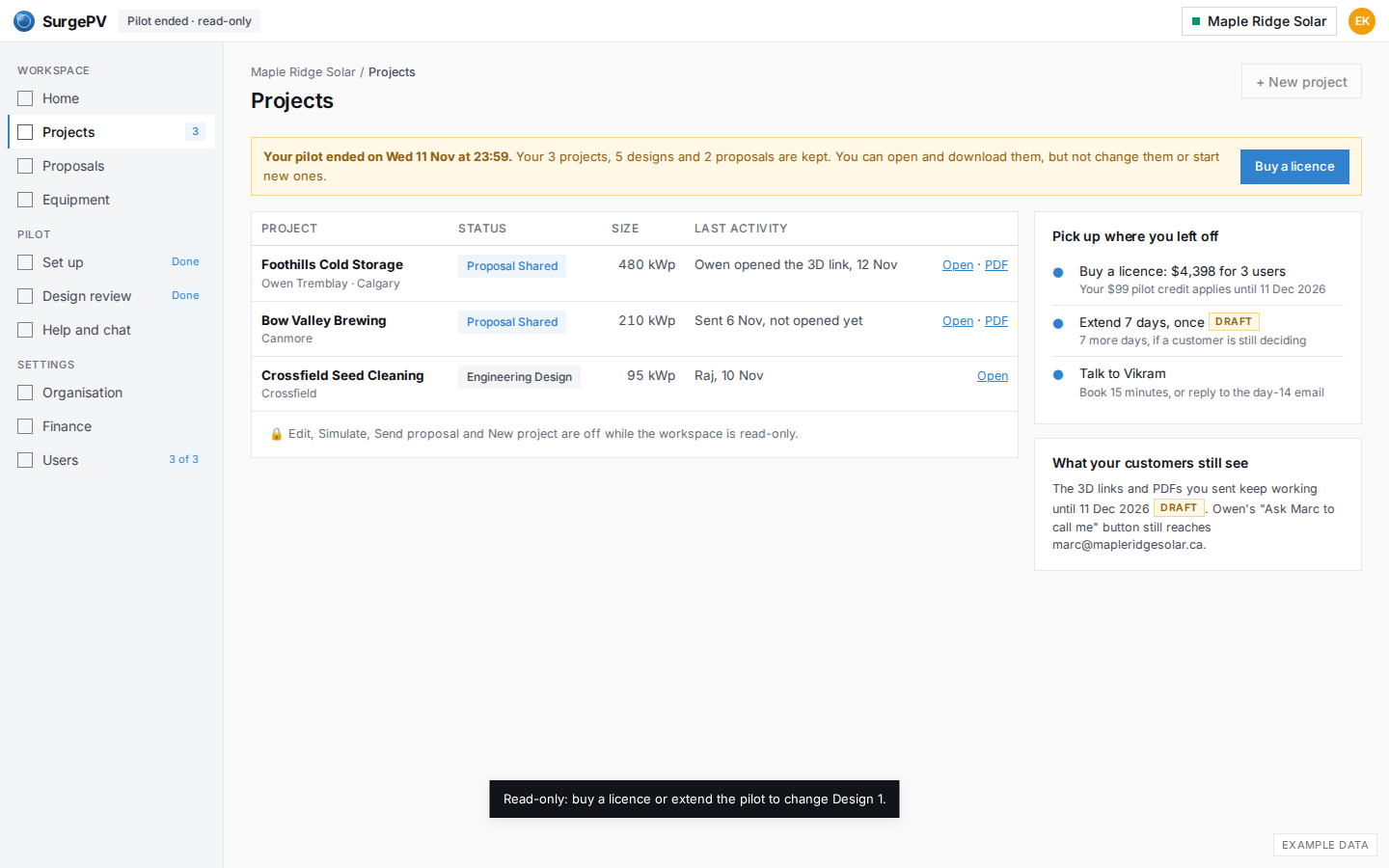
Pilot ended: read-only
If the installer does nothing, day 15 looks like this: every project is still there and can be opened and downloaded, editing is off, and the ways back in are one click away. Links sent to customers keep working for a while.
India: Suryatech Solar, Ahmedabad
DQ18
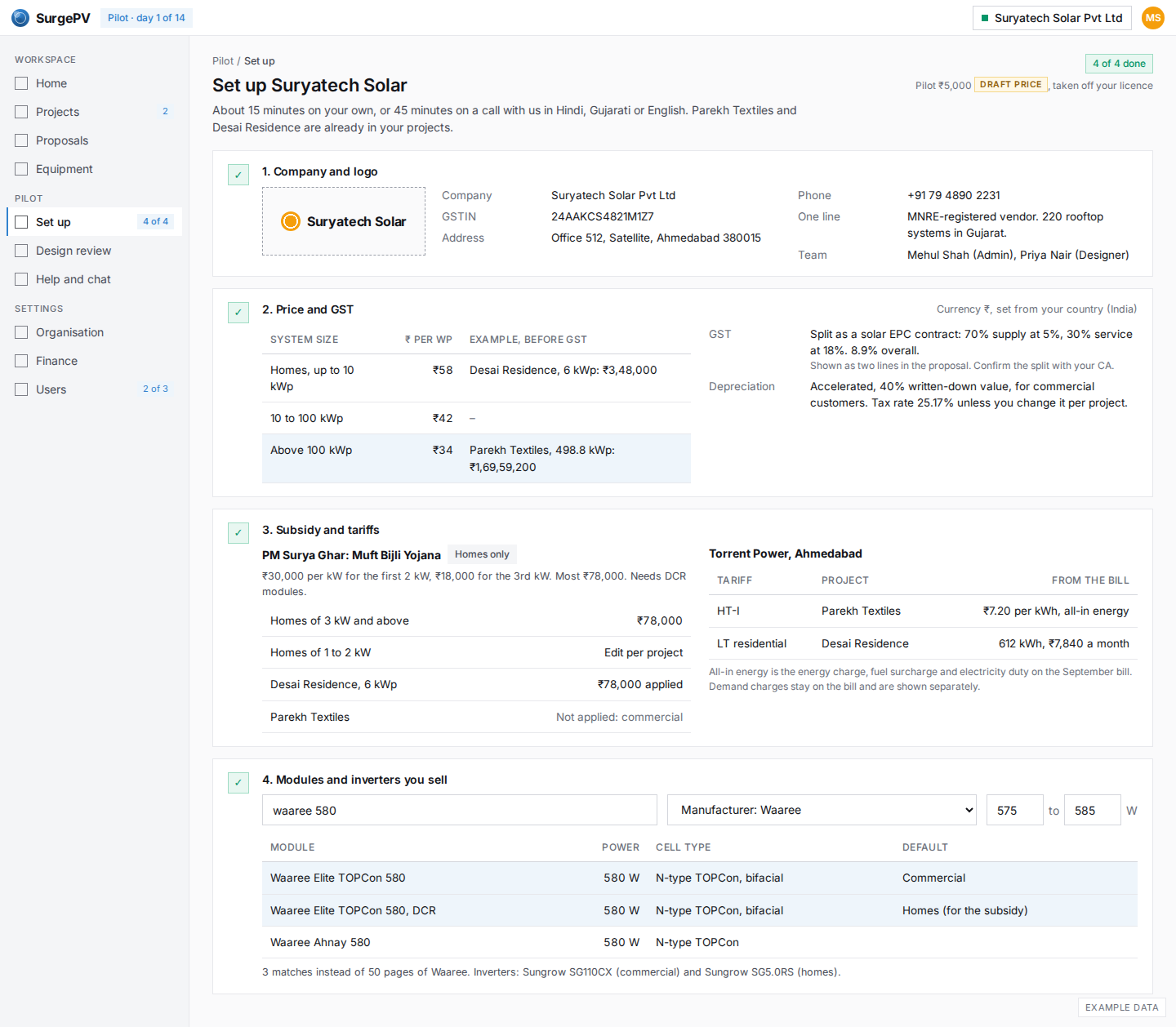
India: setup in ₹ with GST, PM Surya Ghar and Torrent Power
The same setup for an Indian EPC: price per Wp in ₹ by size, GST split 70/30 at 5% and 18%, accelerated depreciation, PM Surya Ghar for homes only with DCR modules, Torrent Power tariffs from the bills, and Waaree search with a wattage range.
DQ19
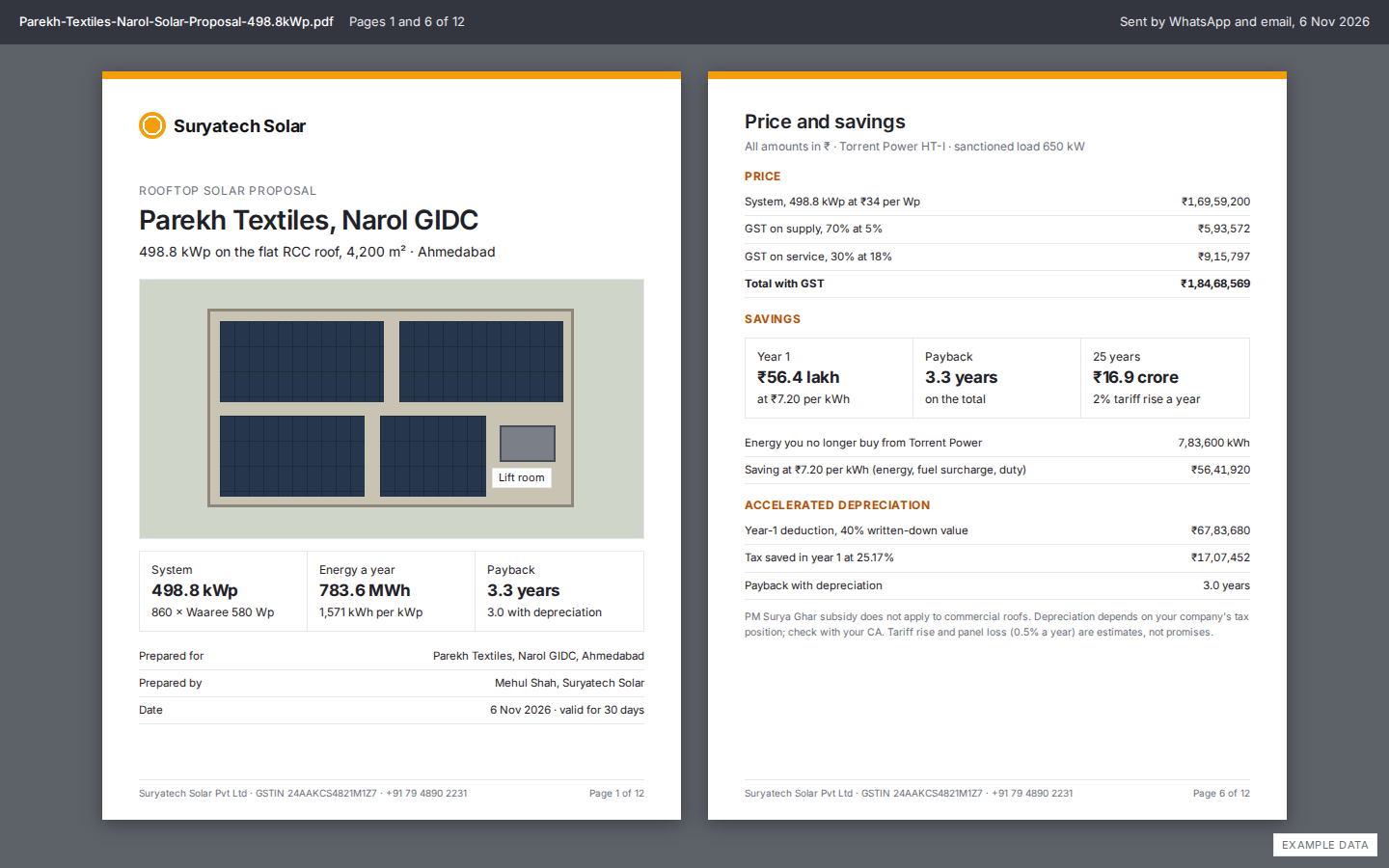
India: the Parekh Textiles proposal
Two pages of the proposal Parekh Textiles receives with Suryatech's logo: the cover and the price page with both GST lines, year-1 saving on Torrent Power HT-I, and the depreciation tax saving.