← All demos · SF · 16 screens · example data
Smart Fill
Fill a roof to the kW you sold, on the faces that produce most
The problem today
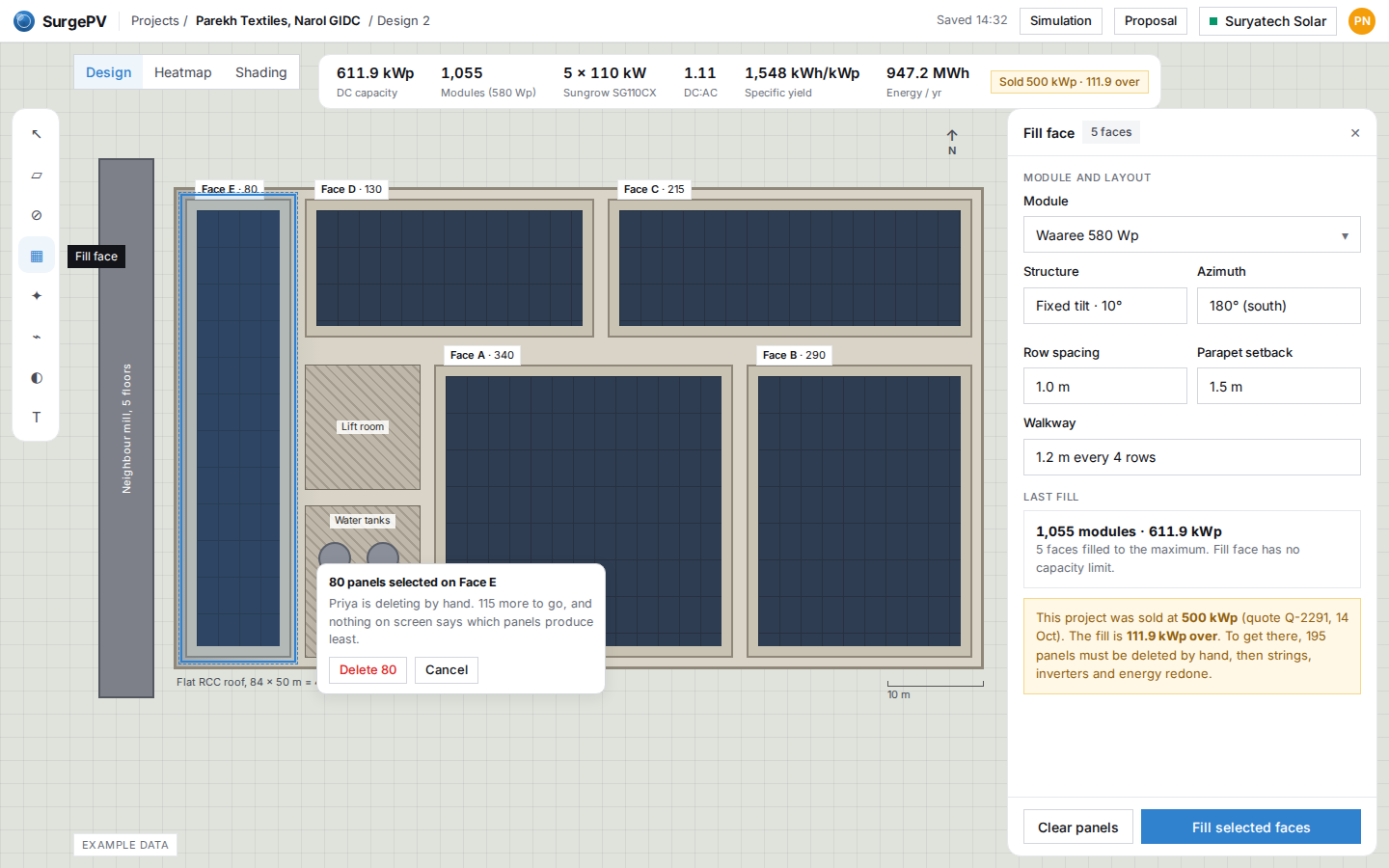
Fill to the kW you sold
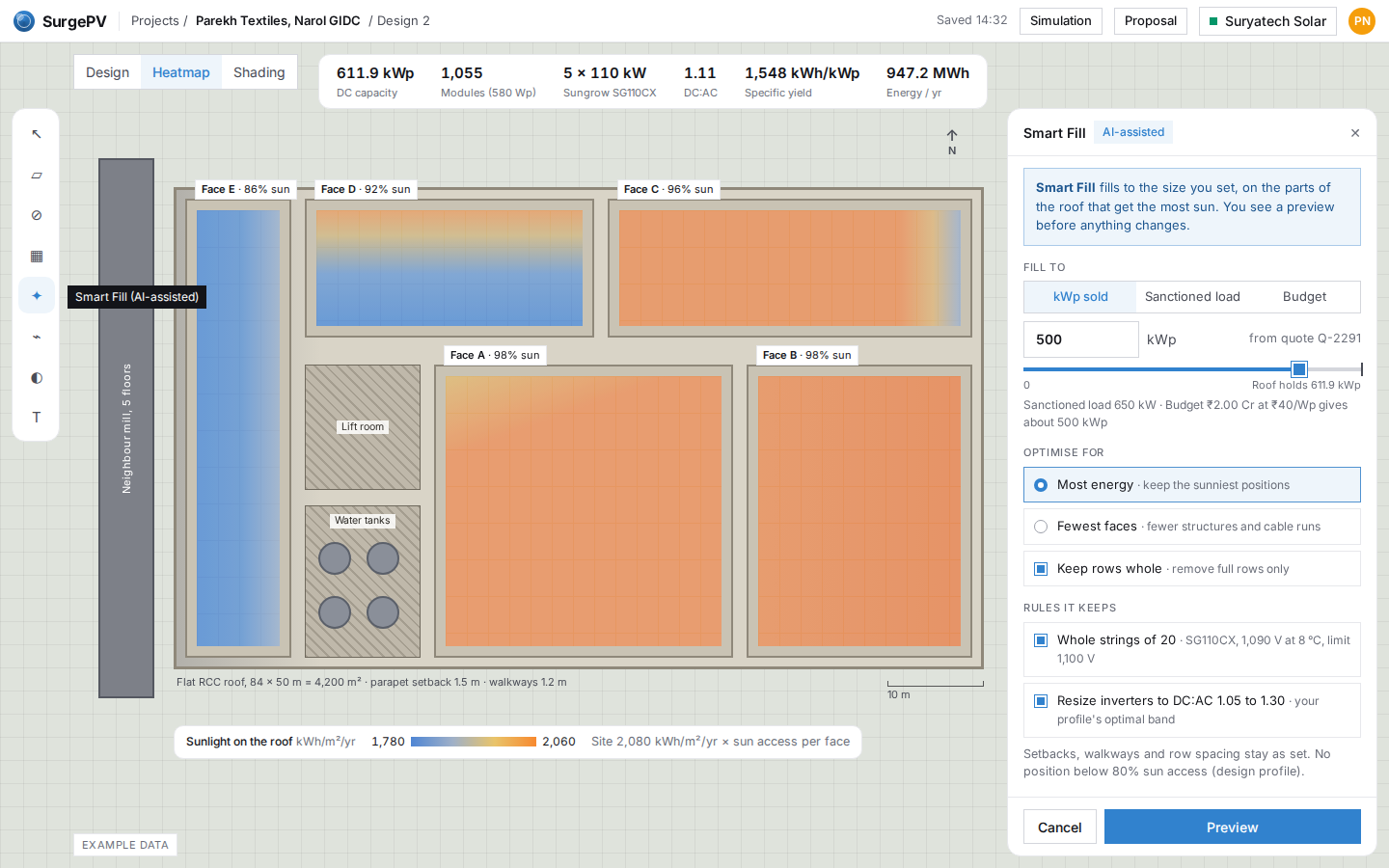
SF02
Set the size you sold, choose what to optimise
Smart Fill opens next to fill face. Type the kWp you sold, or fill to the sanctioned load or a budget. The roof switches to the sunlight view so you can see which faces get less sun before you preview.
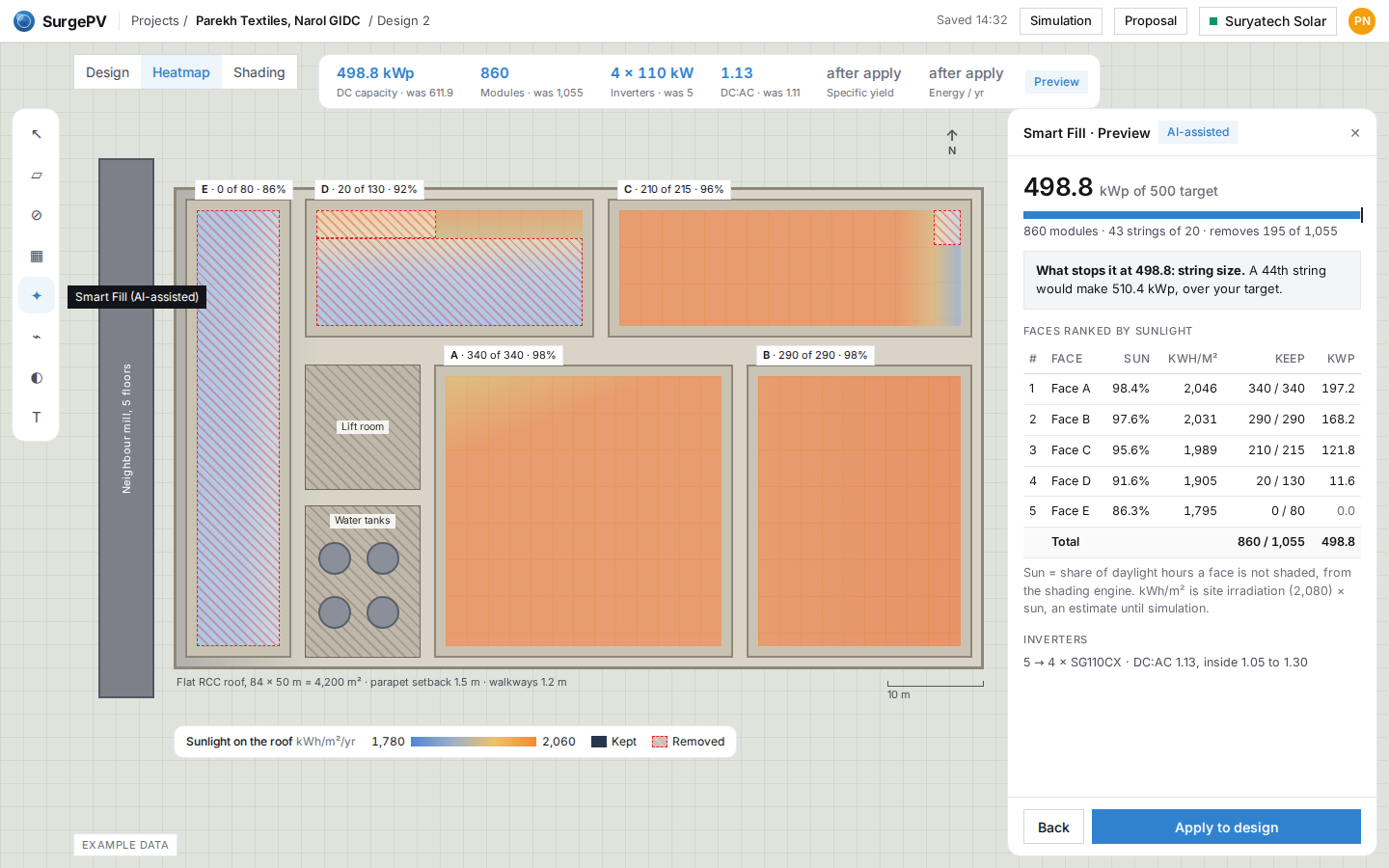
SF03
Preview: faces ranked by sunlight
Faces are ranked by how much sun they get after shade. A and B stay full; most of D (behind the lift room) and all of E (next to the neighbouring mill) come off. The panel says what stopped it: whole strings land at 498.8 kWp.
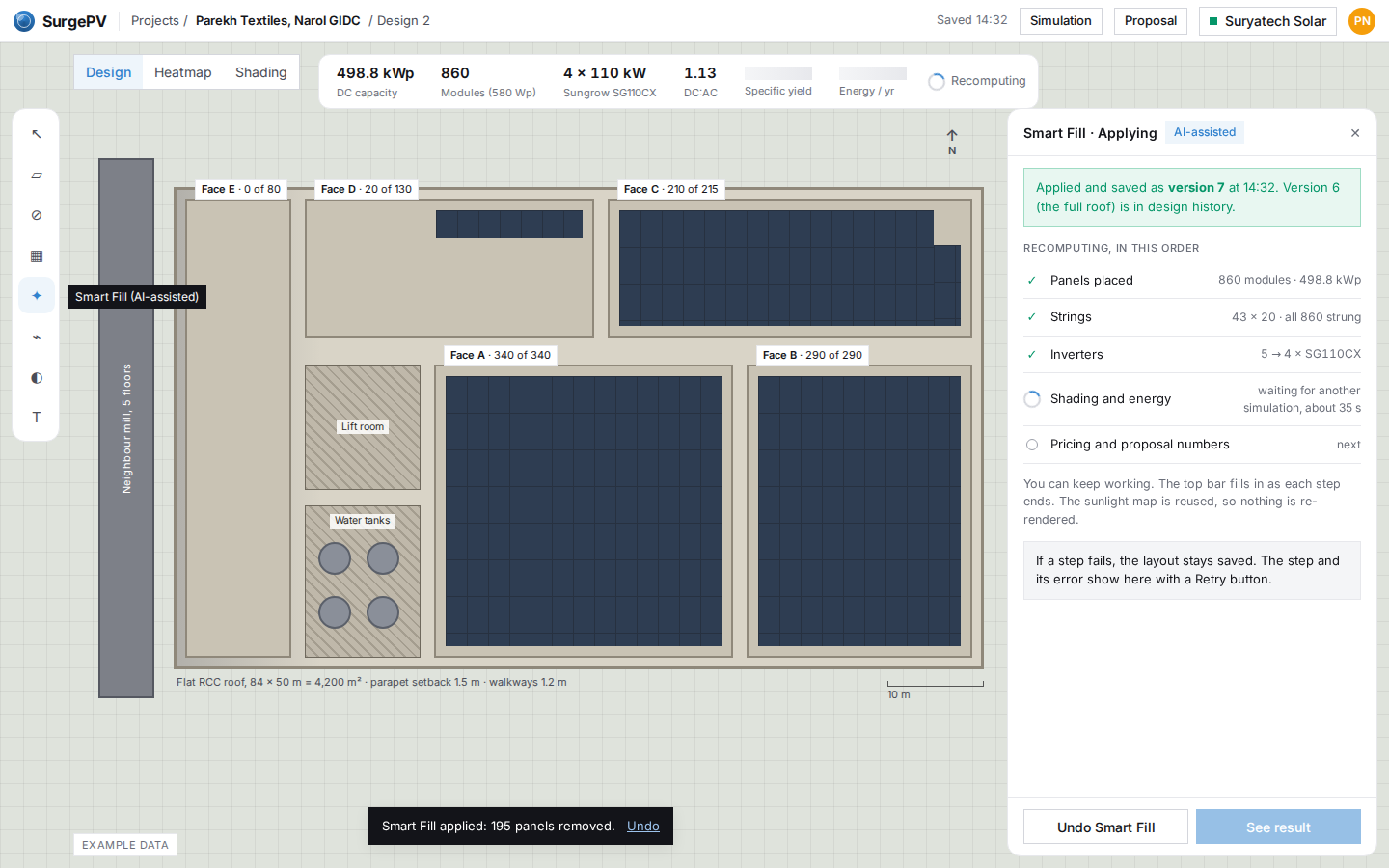
SF04
Applied: strings and energy recompute
Apply removes 195 panels at once and saves a new version. Strings, inverters, energy and price recompute in order; when the simulation is busy the panel says so and how long to expect.
SF05
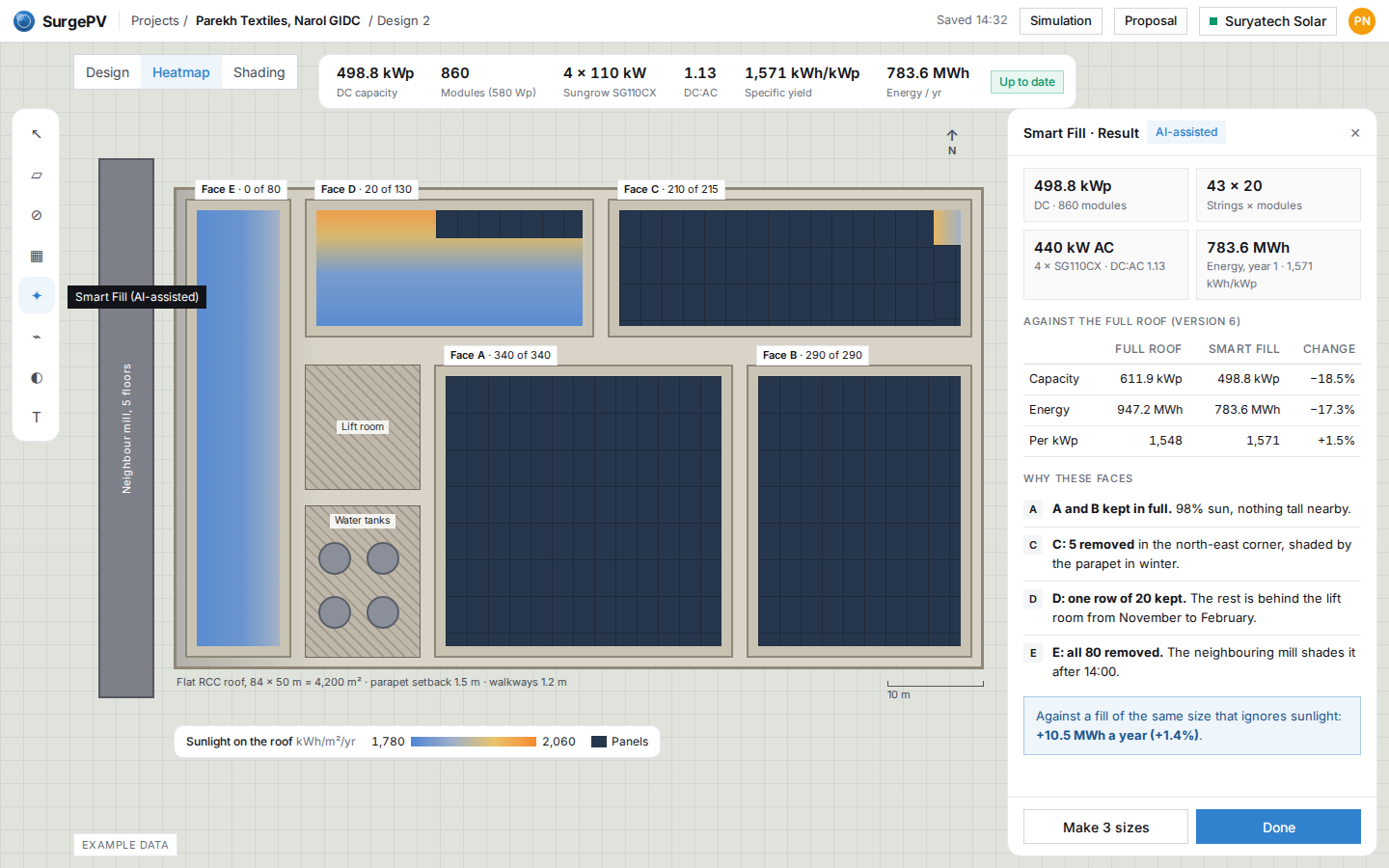
Result: every number back, and why these faces
All numbers are back: 498.8 kWp, 4 inverters, 783.6 MWh a year. Capacity fell 18.5% but energy only 17.3%, because the panels that went were the shaded ones. Each face gets one line saying why.
Options for the proposal
SF06
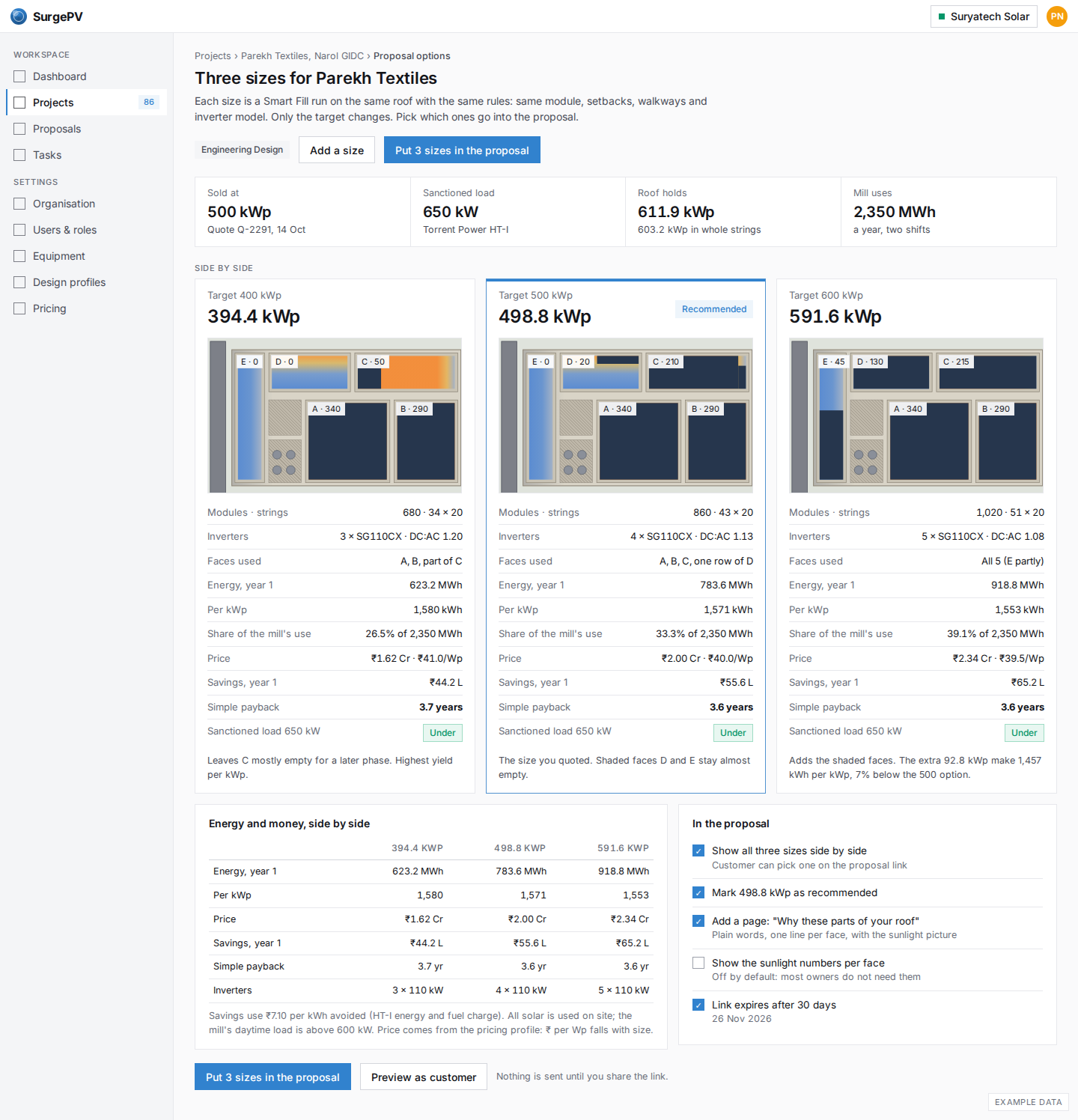
Three sizes side by side for the proposal
One click makes 400, 500 and 600 kWp versions of the same roof, each filled on the sunniest faces. Energy, price, savings and payback sit side by side so the sales engineer can offer a choice instead of one number.
SF07
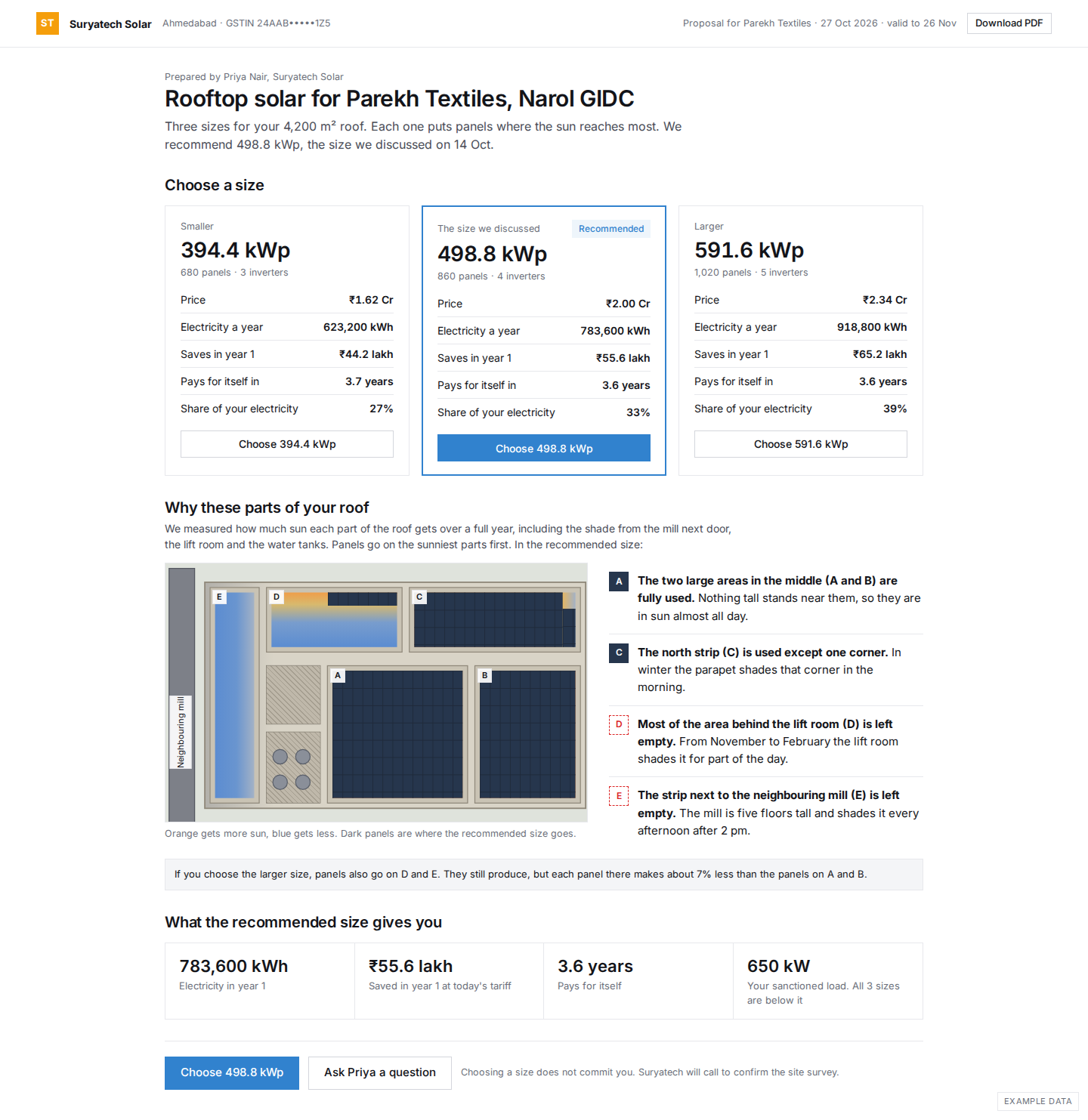
The proposal page your customer sees
Parekh Textiles opens one link: three sizes with price, savings and payback, then a page that explains in plain words why panels go where they go and why the strip by the neighbouring mill stays empty.
SF08
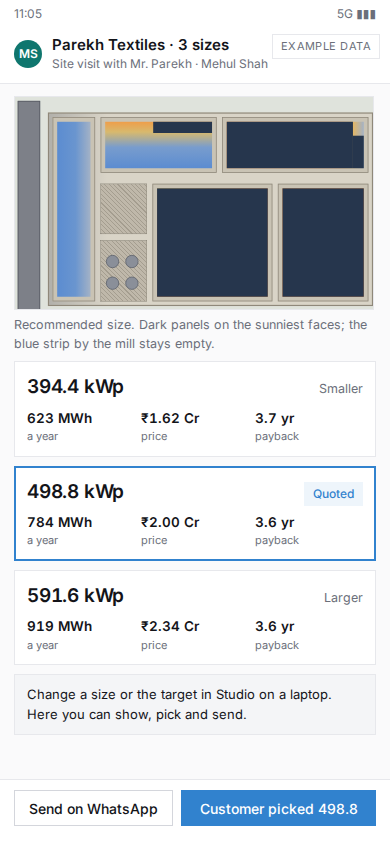
Phone: showing the three sizes at the client's site
At the mill, Mehul opens the three sizes on his phone, shows the roof picture, and records which size the customer picked, or sends the proposal link on WhatsApp.
When it cannot do what you asked
SF09
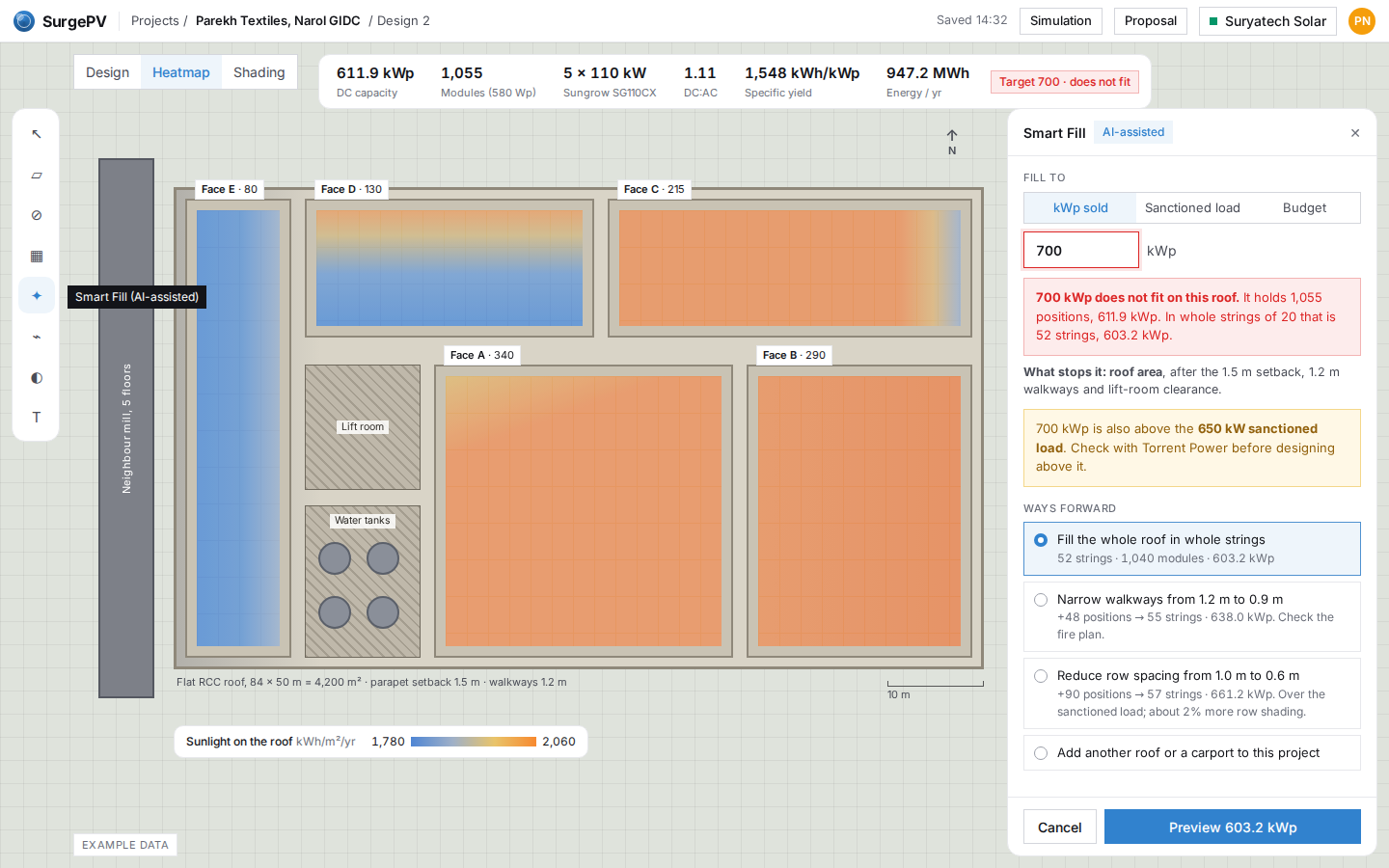
Target above what the roof holds
A 700 kWp target is more than the roof holds and more than the 650 kW sanctioned load. Smart Fill names the limit and gives ways forward with their sizes, instead of a bare error.
SF10
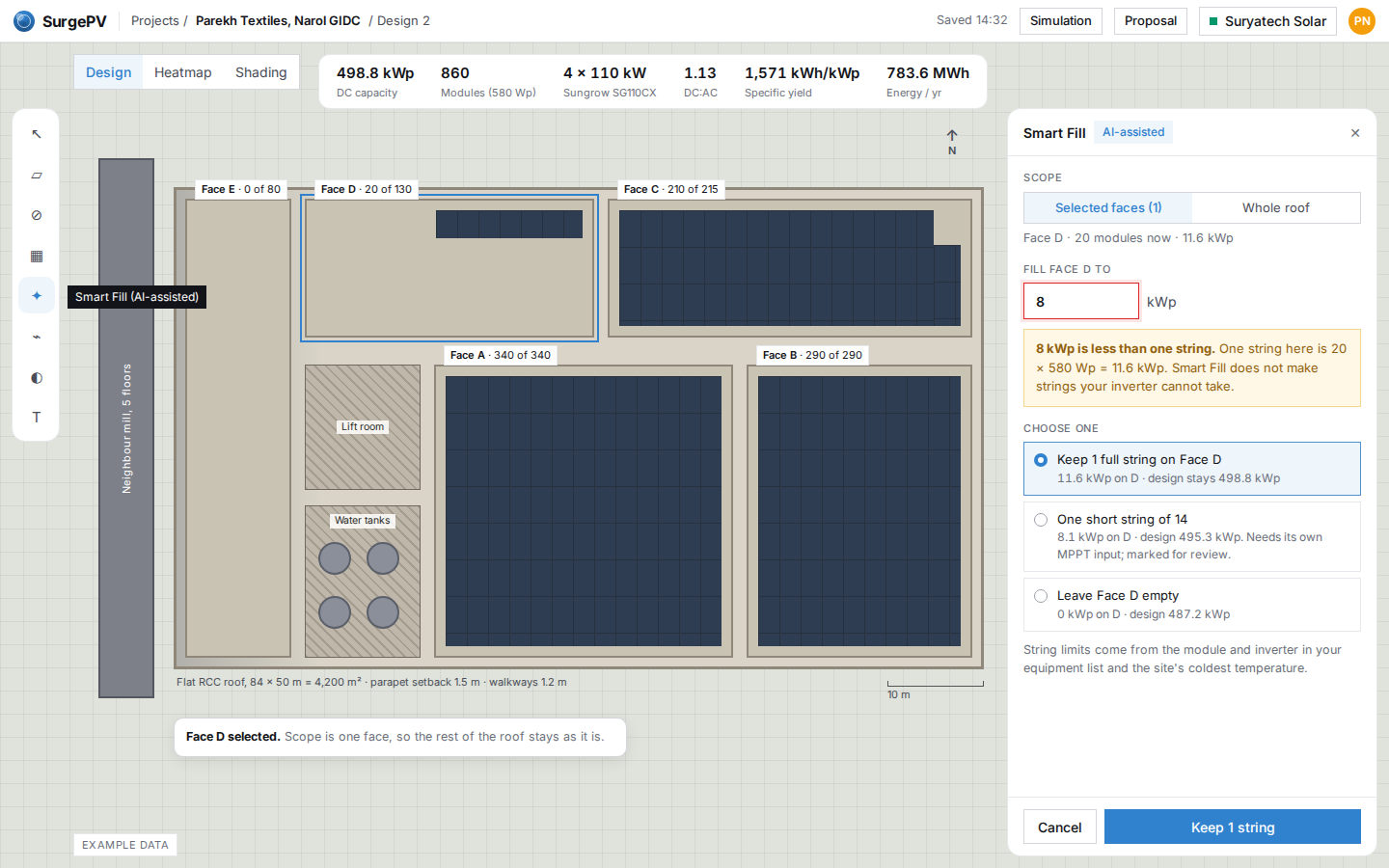
Target smaller than one string
On one selected face, 8 kWp is less than a single string of 20. Smart Fill stops and offers three valid choices with the design total for each, instead of rounding without telling you.
SF11
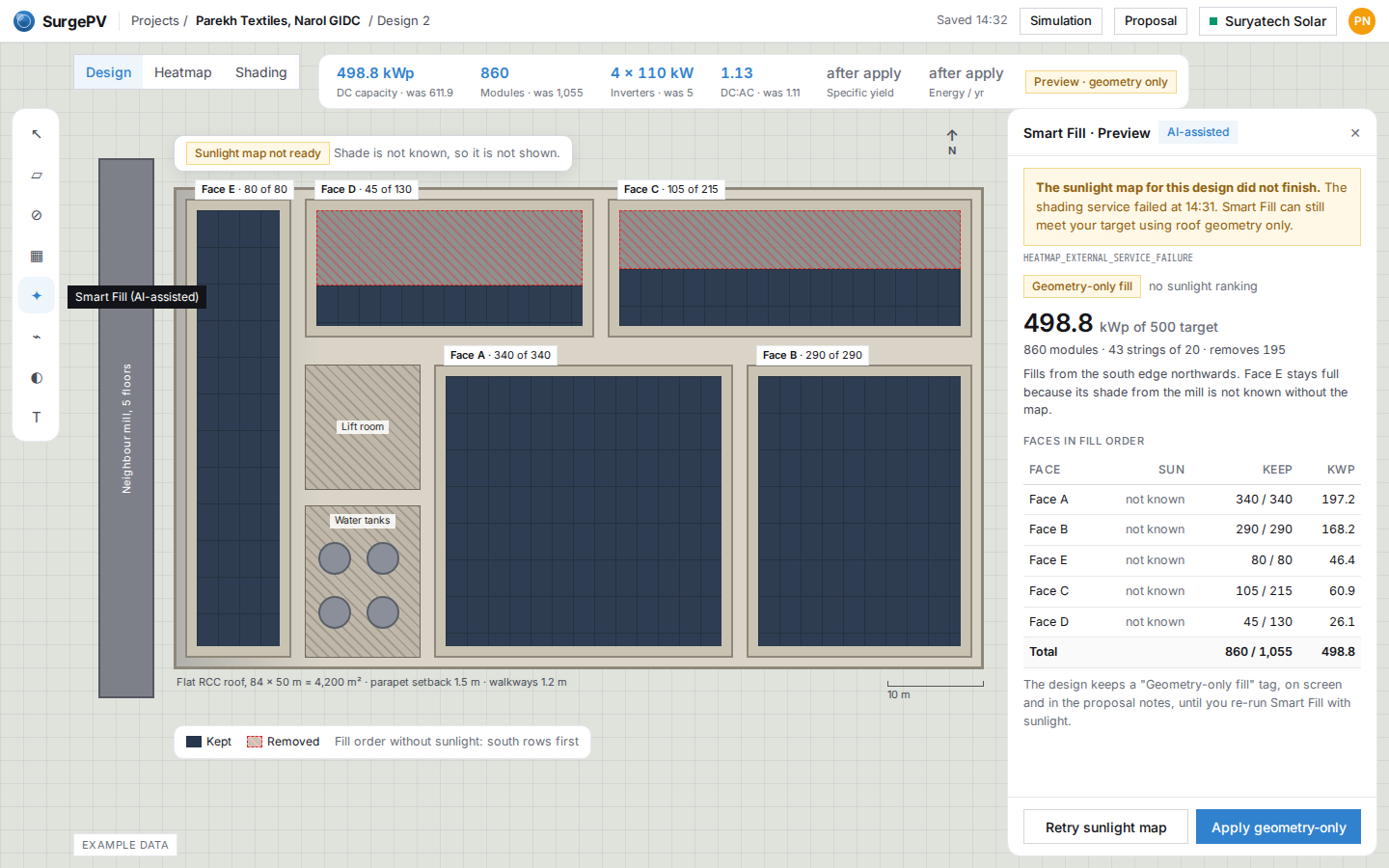
Sunlight map not available: geometry-only fill, labelled
If the sunlight map fails, Smart Fill still reaches the target on geometry alone and says so. Without the map it keeps the strip next to the mill, which shows what the sunlight ranking adds: 10.5 MWh a year here.
SF12
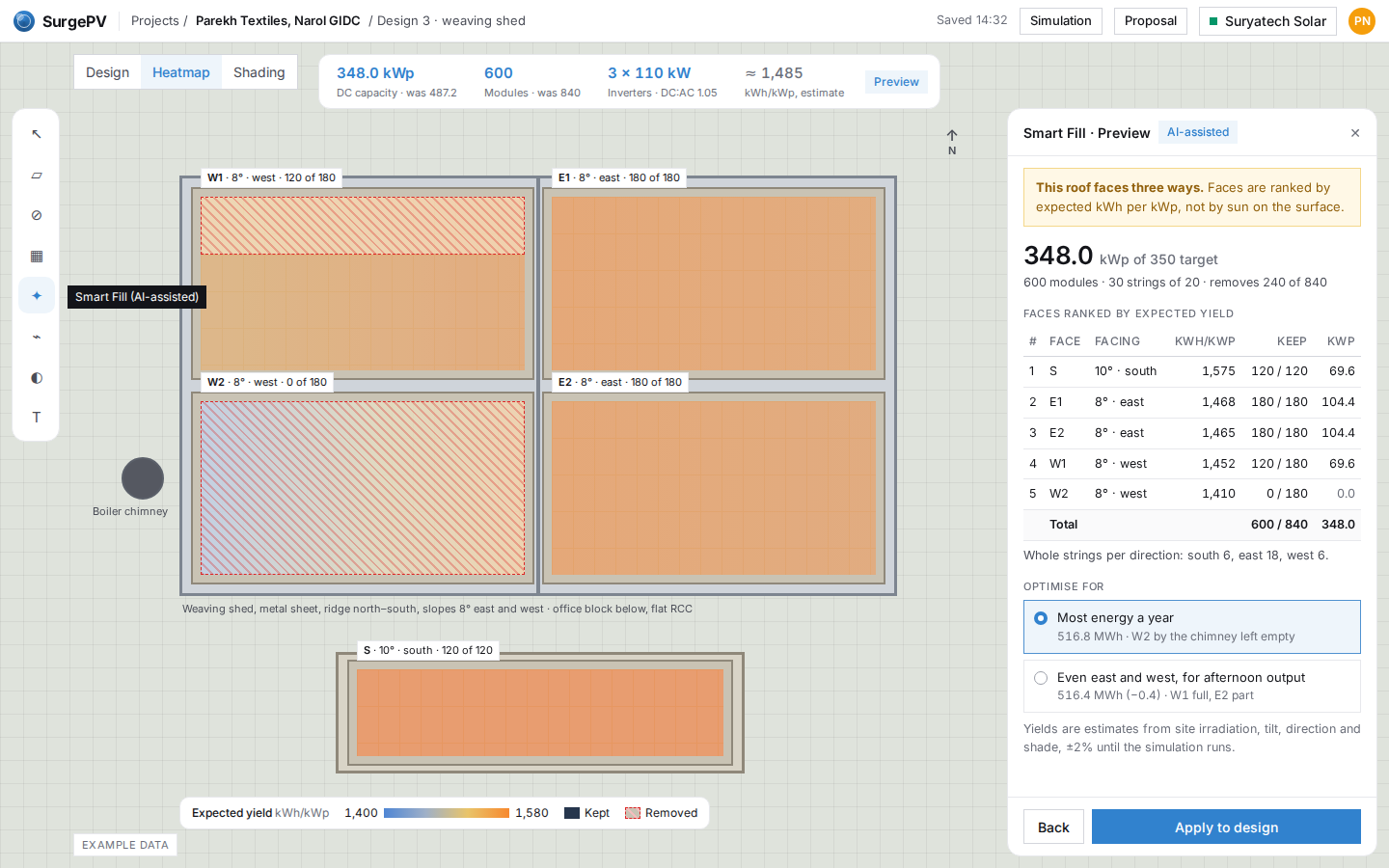
Mixed orientations: east-west shed and a south roof
On a weaving shed with east and west slopes plus a flat office roof, Smart Fill ranks faces by expected kWh per kWp and fills each direction in whole strings. It shows the cost of the other choice: 0.4 MWh a year for more even east and west.
US warehouse, 1.2 MW
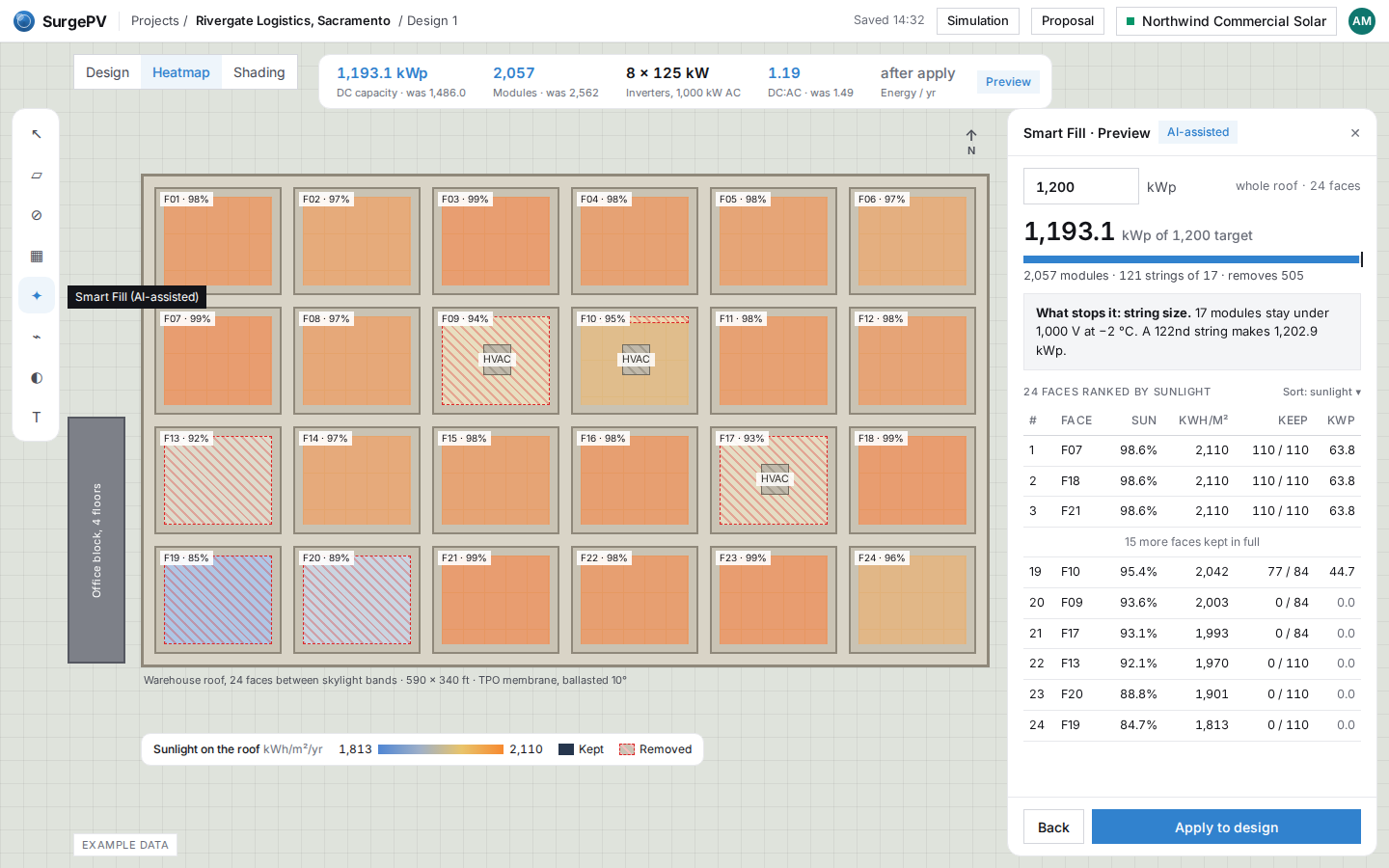
SF13
US warehouse: 1.2 MW across 24 faces
The same panel on a 24-face warehouse in Sacramento. The faces behind the office block and around the HVAC units empty first. DC:AC drops from 1.49, which needs a warning, to 1.19.
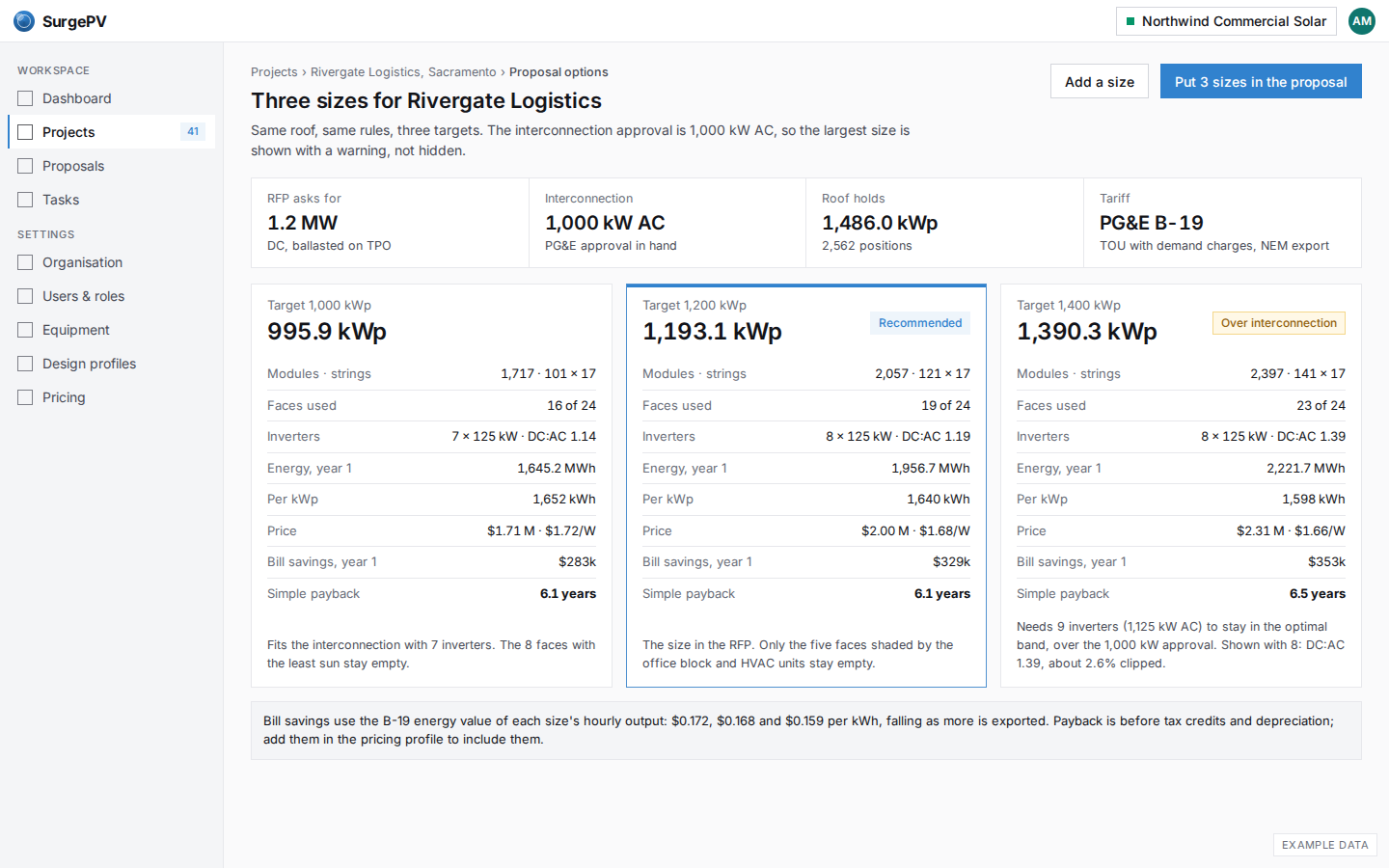
SF14
US warehouse: three sizes against the interconnection limit
For Rivergate, the three sizes are checked against the 1,000 kW AC interconnection approval. The largest is shown with its warning and clipping, so the owner sees why 1.2 MW is the recommendation.
Indian home, capped at sanctioned load
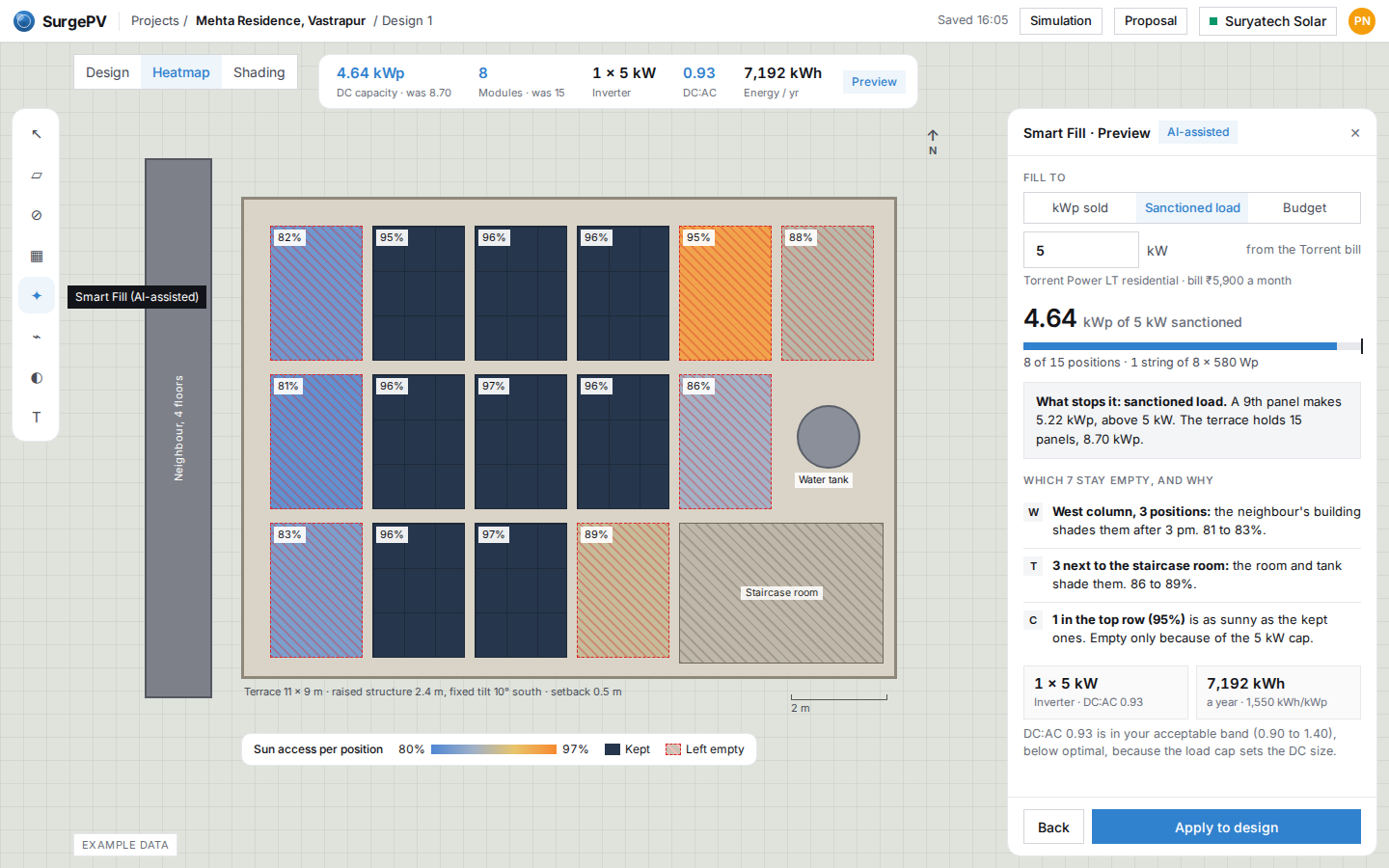
SF15
Home terrace capped at the 5 kW sanctioned load
For a home in Ahmedabad, fill to the sanctioned load instead of a kWp. Smart Fill keeps 8 of 15 positions, away from the neighbour's shade and the staircase room, and says that one sunny spot is empty only because of the 5 kW cap.
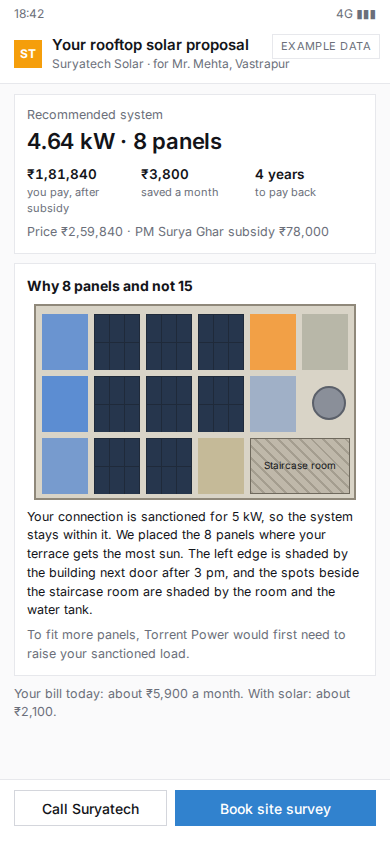
SF16
Phone: the homeowner's proposal, in plain words
Mr. Mehta opens the proposal from WhatsApp: what he pays after the PM Surya Ghar subsidy, what he saves, and a picture of his terrace with one paragraph on why 8 panels and not 15.