← All demos · WA · 19 screens · example data
WhatsApp proposal assistant
A homeowner sends a bill to your WhatsApp; your team reviews a draft estimate and sends it
What the homeowner sees
WA01
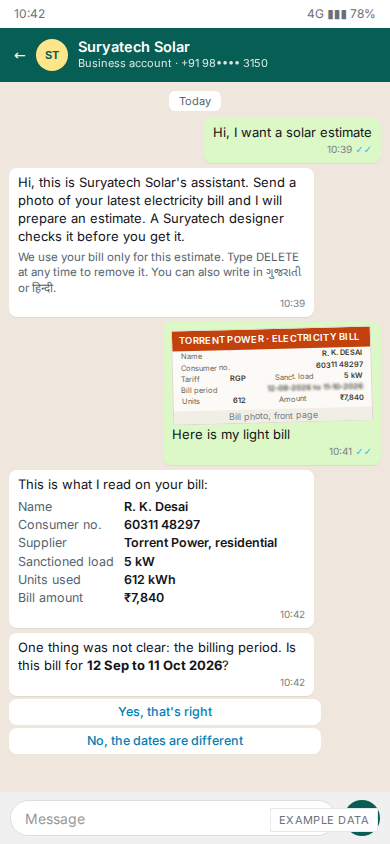
Phone: bill photo read, one question
A homeowner messages Suryatech Solar's own WhatsApp number and sends a bill photo. The assistant lists what it read (consumer no., 5 kW sanctioned load, 612 kWh, ₹7,840) and asks only about the one field it could not read clearly, the billing period.
WA02
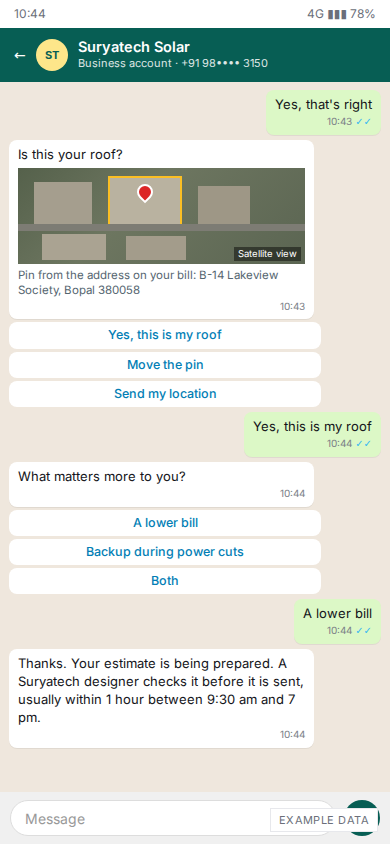
Phone: confirm the roof and the goal
The assistant places a pin from the bill address and asks "Is this your roof?", then asks whether a lower bill or backup matters more. It tells the homeowner a designer checks the estimate first, and when to expect it.
WA03
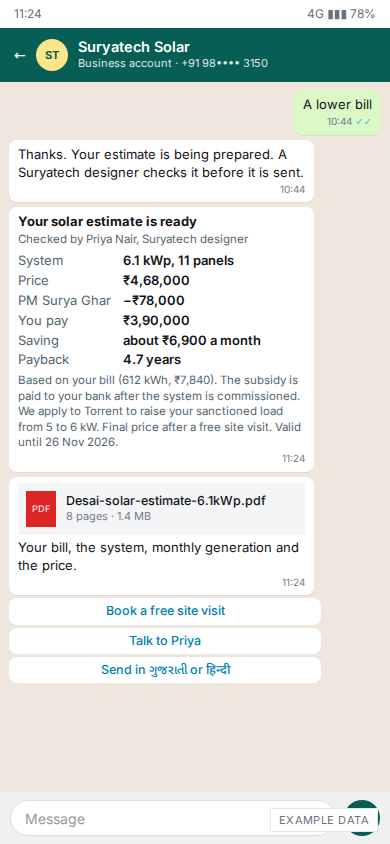
Phone: estimate delivered, with PDF
6.1 kWp, ₹4,68,000 less the ₹78,000 PM Surya Ghar subsidy, so ₹3,90,000; about ₹6,900 a month saving; 4.7-year payback. It names the designer who checked it, notes the load change from 5 to 6 kW, and offers a site visit or a talk with Priya.
WA04
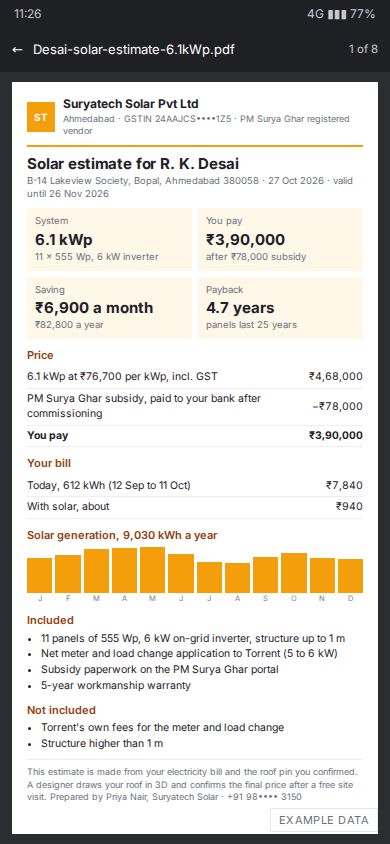
Phone: the PDF the homeowner opens
Page 1 of the 8-page PDF, in Suryatech's colours: the four numbers, the price with the subsidy as its own line, the bill today and with solar (₹7,840 to about ₹940), monthly generation (9,030 kWh a year), and what is and is not included.
WA05
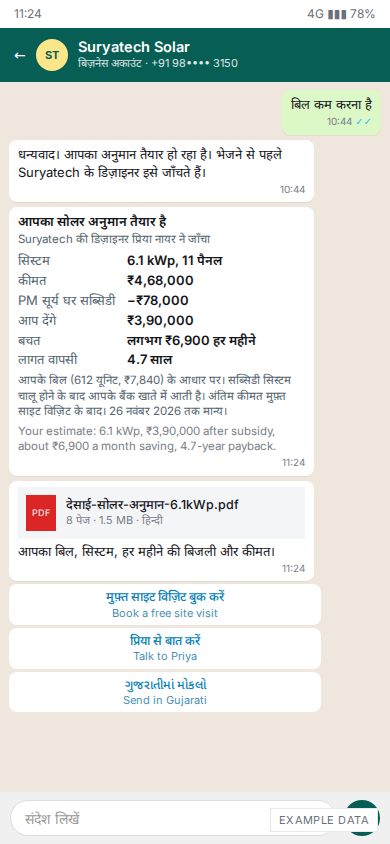
Phone: the same estimate in Hindi
When the homeowner writes in Hindi, the replies, buttons and PDF are in Hindi, with a one-line English summary. Gujarati is one tap away.
What your team sees
WA06
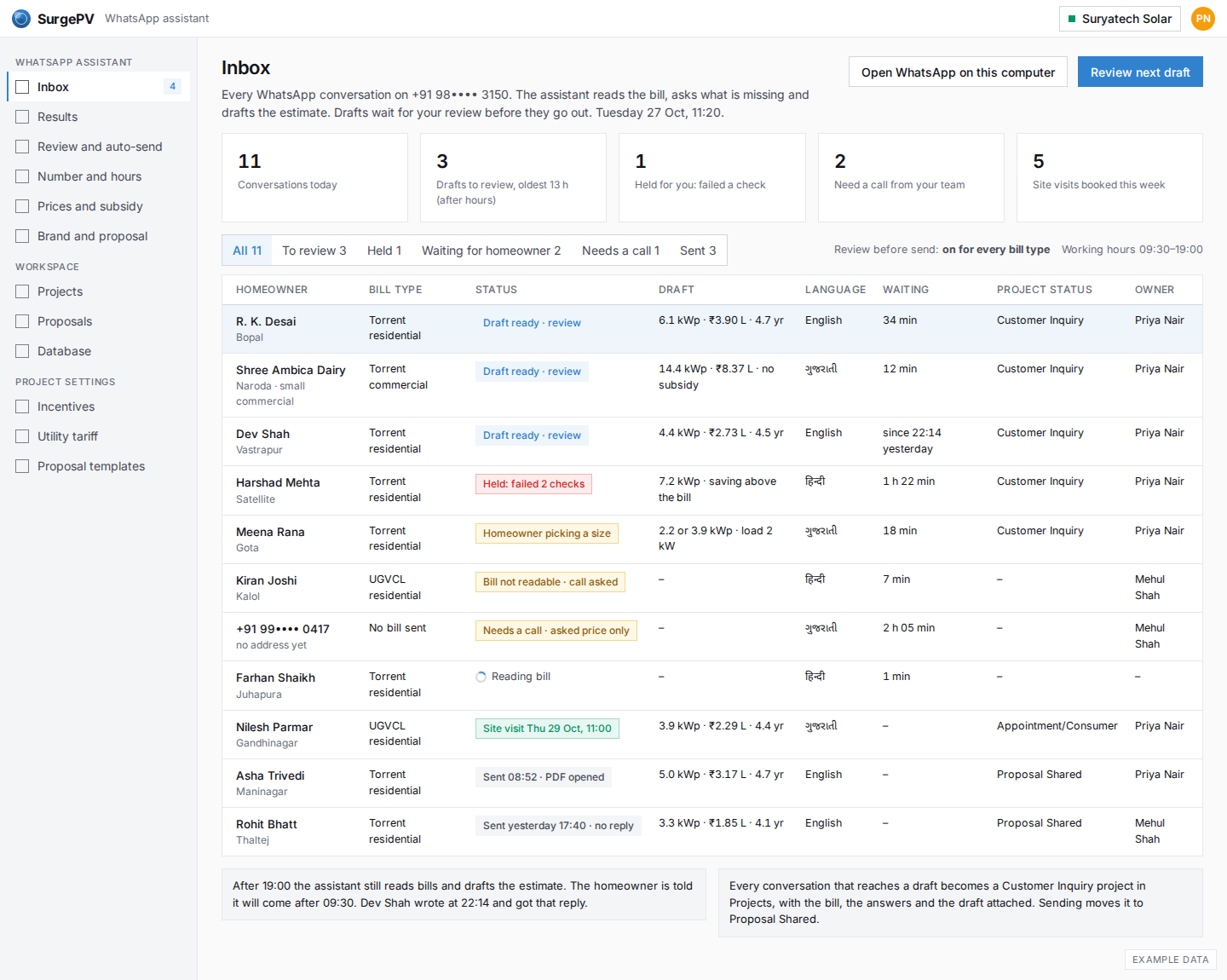
Inbox: every conversation and its status
Every WhatsApp conversation on your number in one list: reading the bill, draft ready for review, held, waiting for the homeowner, needs a call, sent, site visit booked. Each draft is already a Customer Inquiry project.
WA07
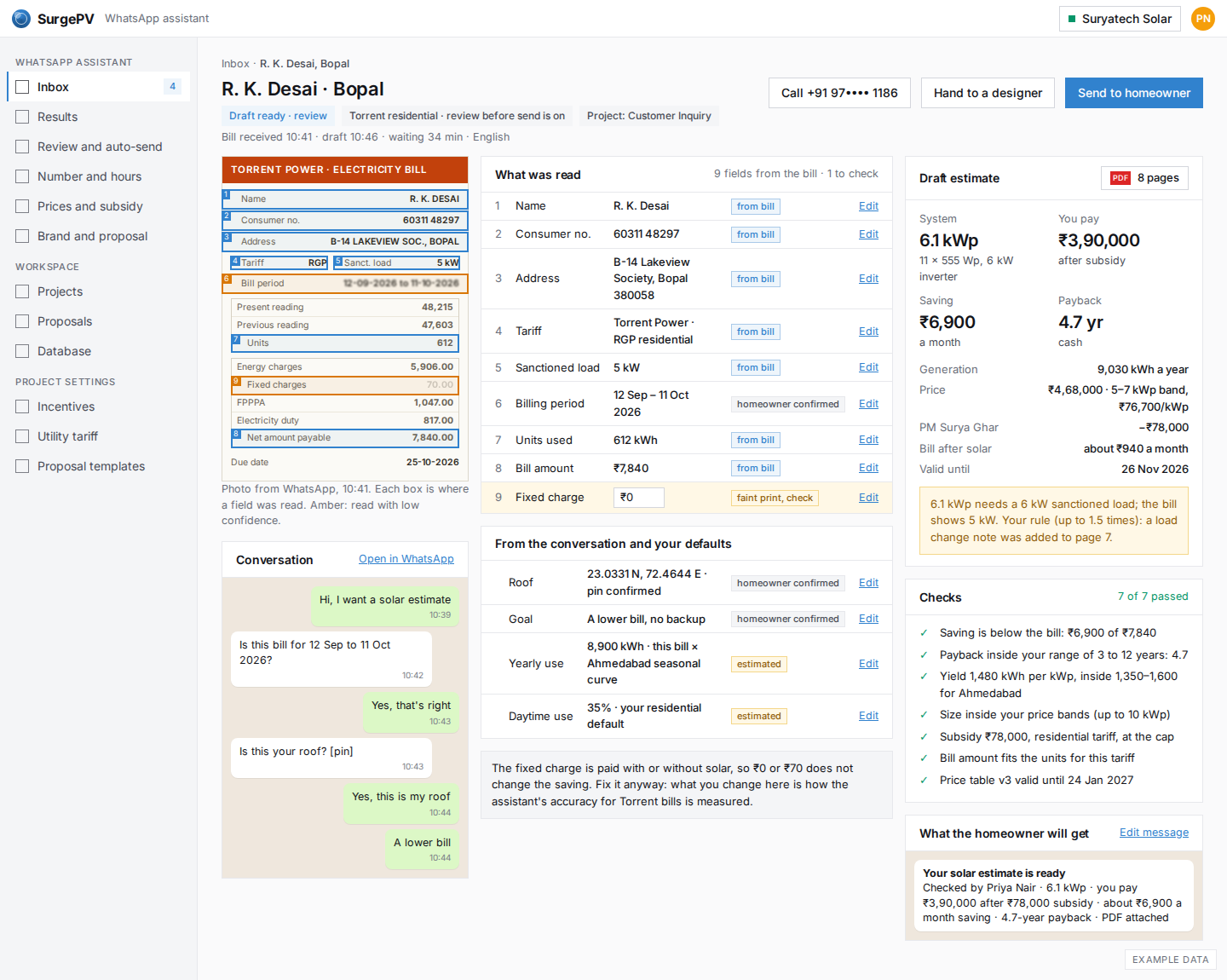
One lead: the bill, what was read, the draft
The bill photo with a box on each field, the 9 values read next to it with where each came from, and the draft estimate with its 7 safety checks. One field (fixed charge) was read with low confidence and is marked to check. Send, call, or hand to a designer.
WA08
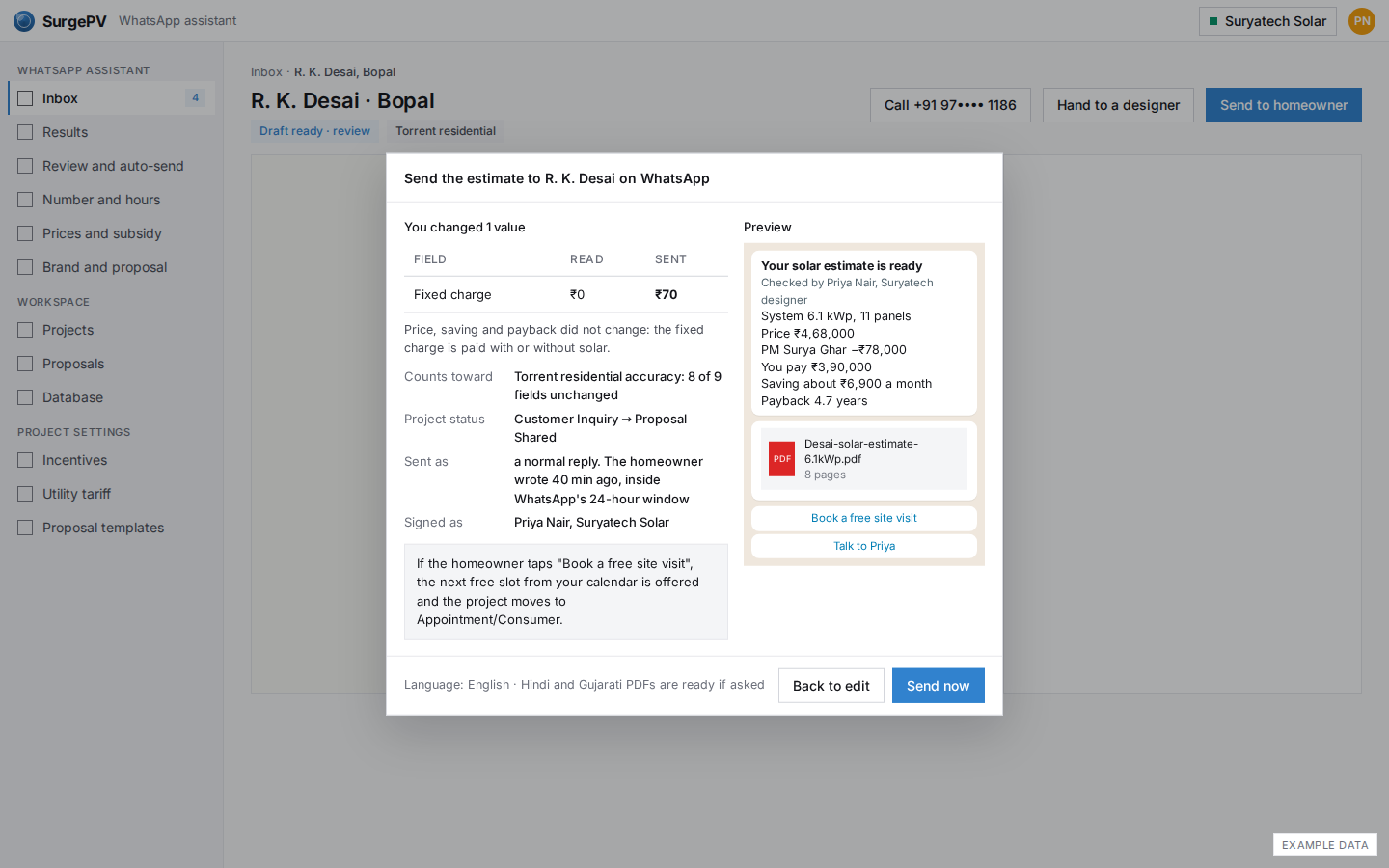
Send after review
Sending shows what changed (fixed charge ₹0 to ₹70, no effect on price or saving), what the homeowner will see, and that the project moves to Proposal Shared. The edit is counted in the accuracy for Torrent bills.
Set it up once
WA09
Setup: your number, hours and languages
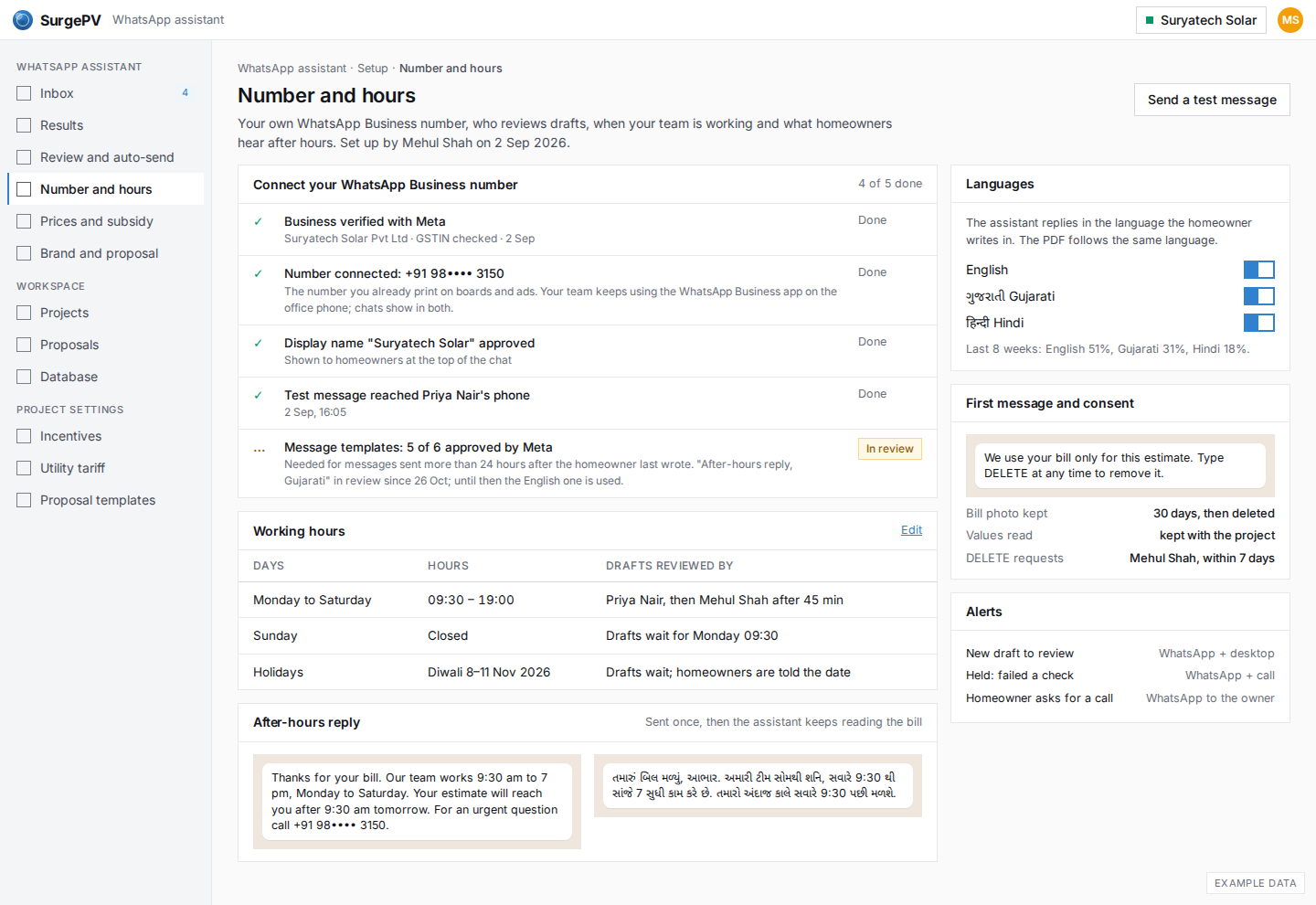
Connect the WhatsApp Business number you already use, set who reviews drafts and when, the after-hours reply, the languages, and the first message with the consent line. One Meta template is still in review, and the page says what is used meanwhile.
WA10
Setup: your price table and subsidy rules
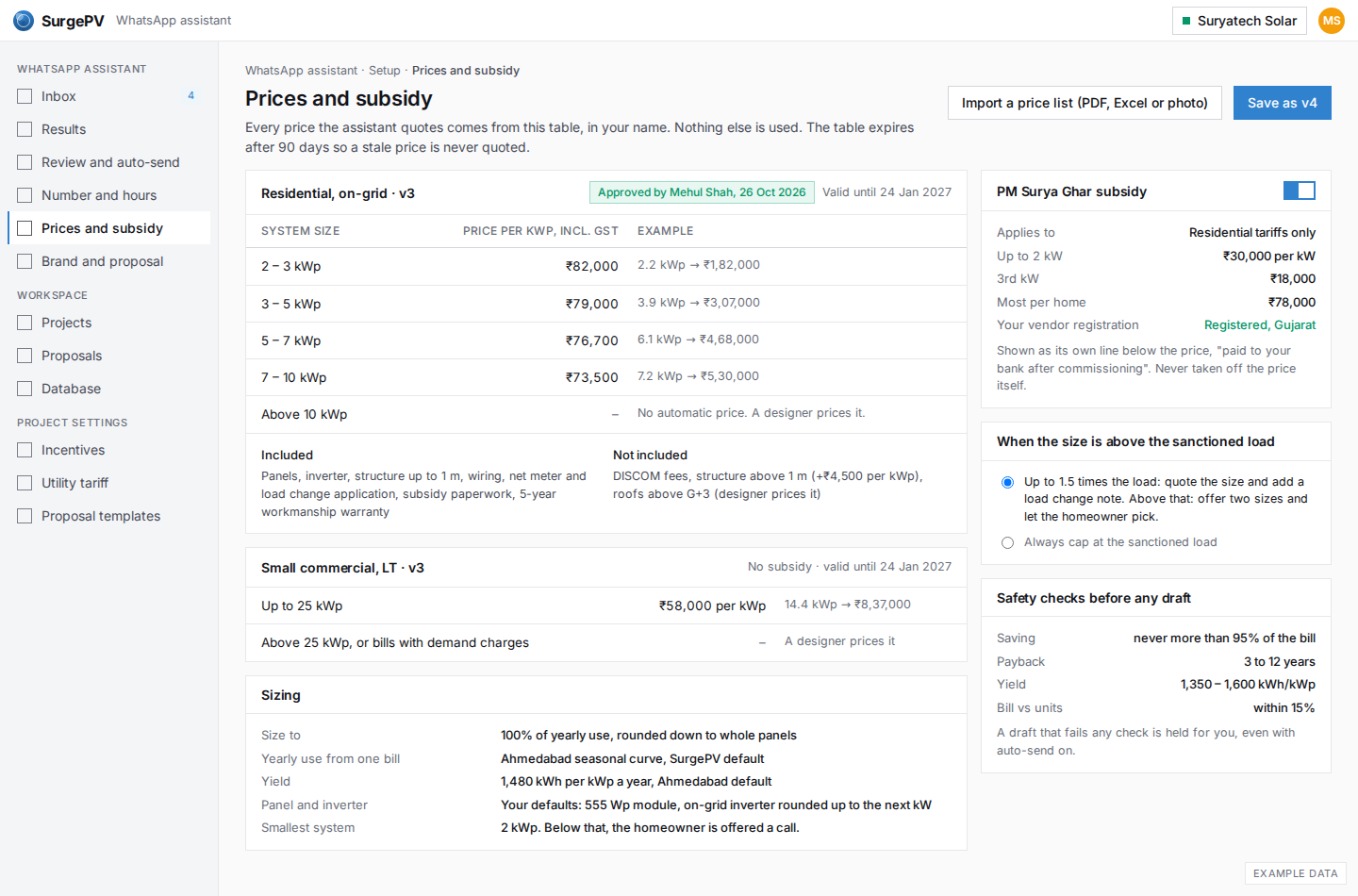
The assistant quotes only from this table: ₹ per kWp in four bands, approved by Mehul Shah and valid for 90 days, with what is included. PM Surya Ghar is its own line. Two rules decide what happens above the sanctioned load, and four safety checks run before any draft.
WA11
Setup: logo, proposal template, wording
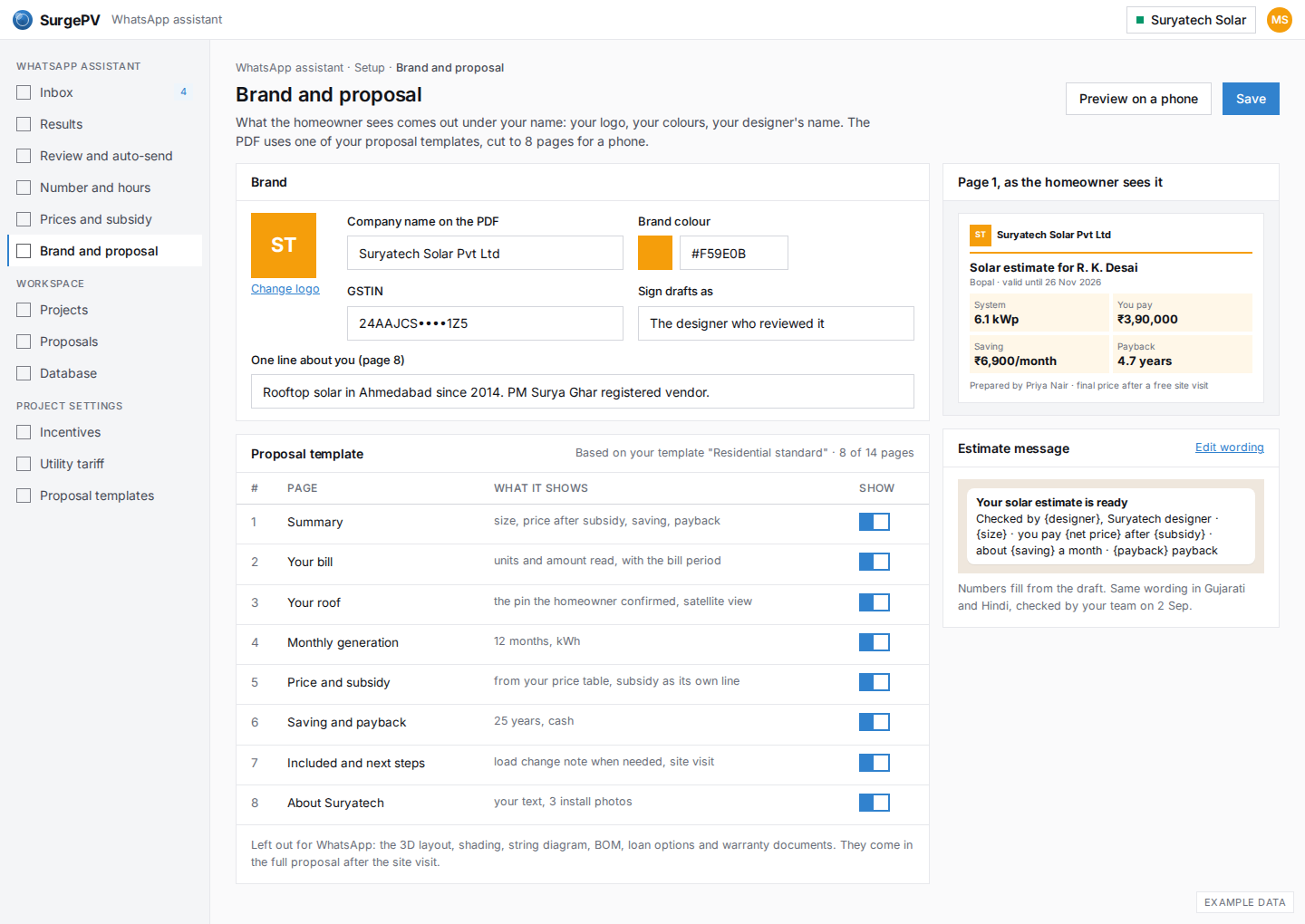
Logo, colour, GSTIN and one line about the company; an 8-page phone proposal cut from the installer's own template; and the estimate message with its placeholders. A preview of page 1 sits beside it.
You decide what goes out
WA12
Control: review before send, per bill type
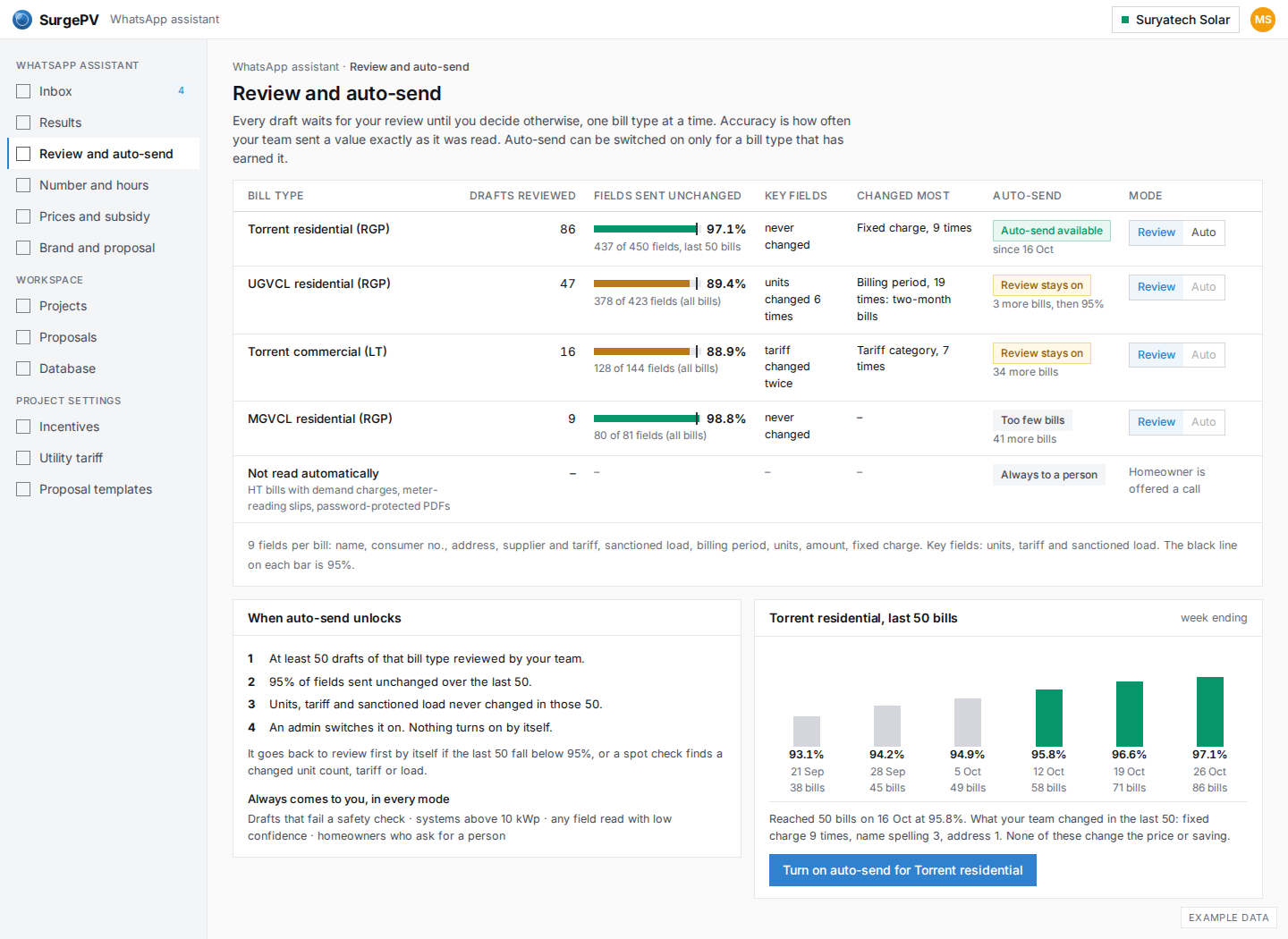
Review before send is on for every bill type by default. For each type: drafts reviewed, how many fields went out unchanged over the last 50, and whether units, tariff and load were ever changed. Torrent residential has reached 97.1% and can be switched to auto-send; UGVCL, at 89.4%, cannot.
WA13
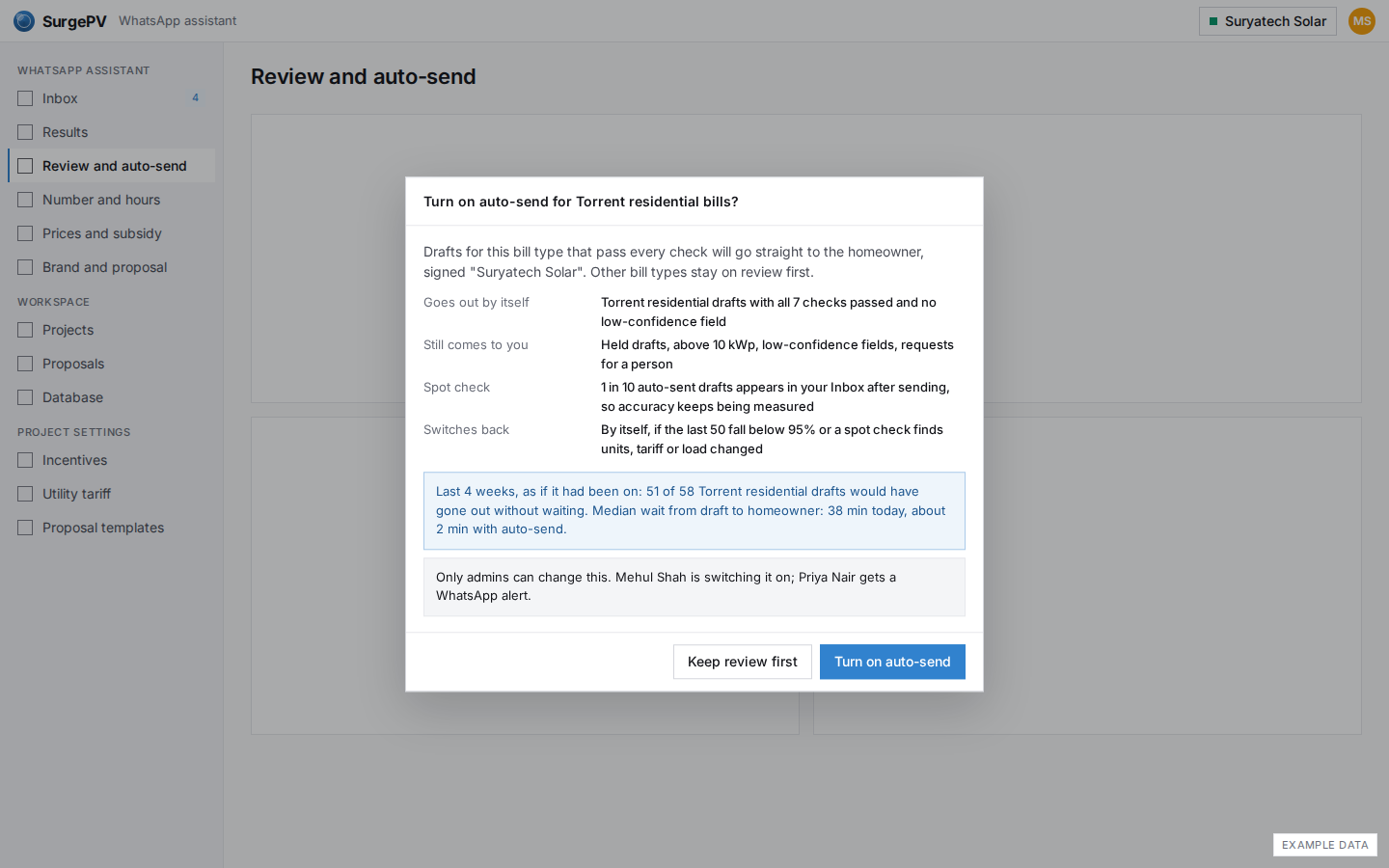
Turn on auto-send for one bill type
Switching Torrent residential to auto-send says what goes out by itself, what still comes to you, the 1-in-10 spot check that keeps accuracy measured, and when it switches back by itself. Last 4 weeks it would have sent 51 of 58 drafts without waiting.
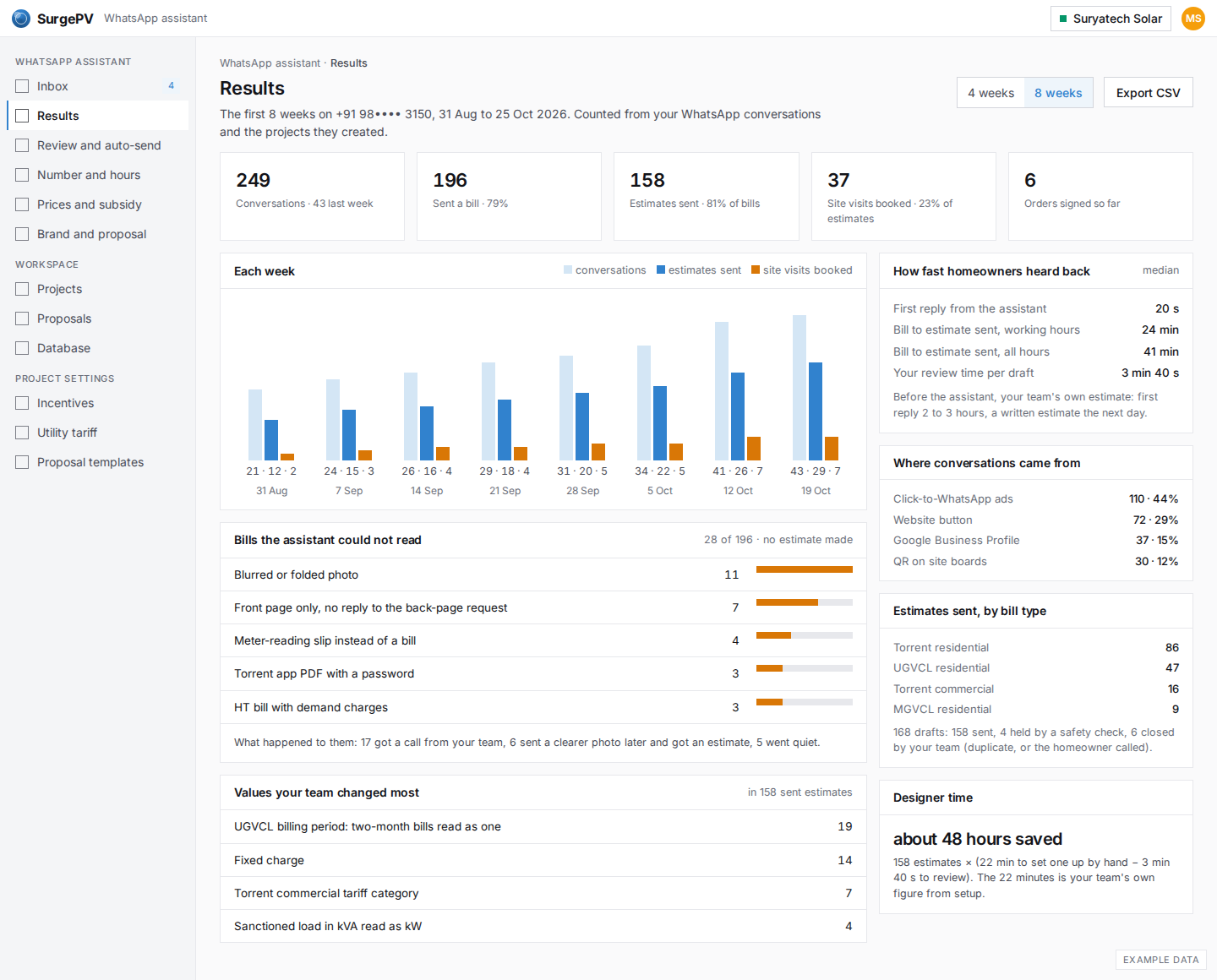
Results
When something is off
WA15
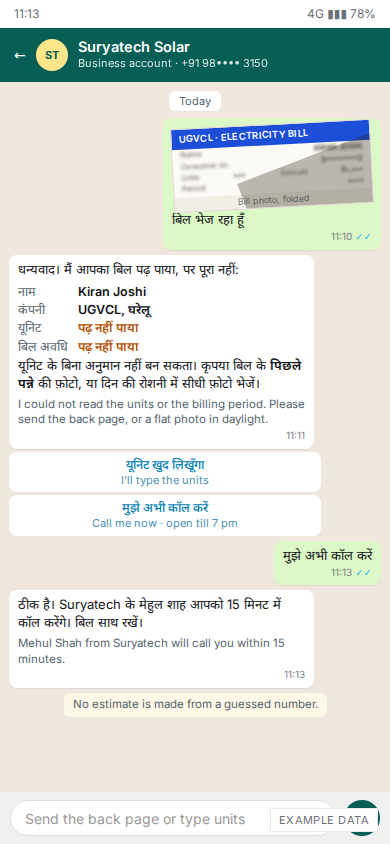
Phone: the bill could not be read
A folded UGVCL bill: the assistant says what it could and could not read, asks for the back page or a flat photo, and offers to type the units or get a call. The homeowner asks for a call and is told who will call and when. No estimate is made from a guessed number.
WA16
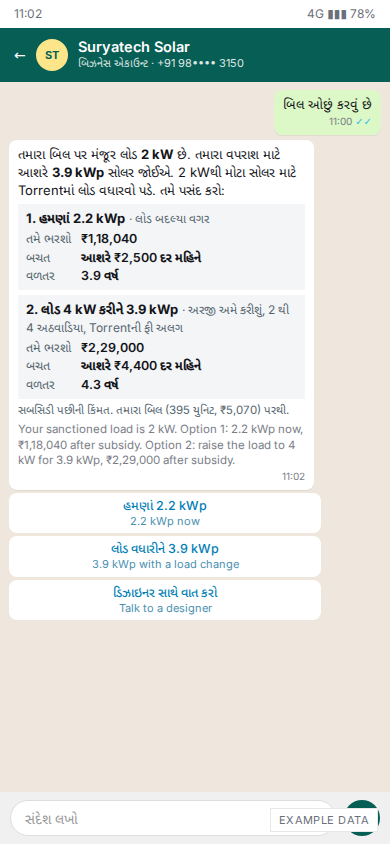
Phone: sanctioned load below the size (Gujarati)
The bill shows a 2 kW sanctioned load but the use needs about 3.9 kWp. In Gujarati, the assistant offers two choices with prices after subsidy: 2.2 kWp now (₹1,18,040), or 3.9 kWp after a load change to 4 kW (₹2,29,000).
WA17
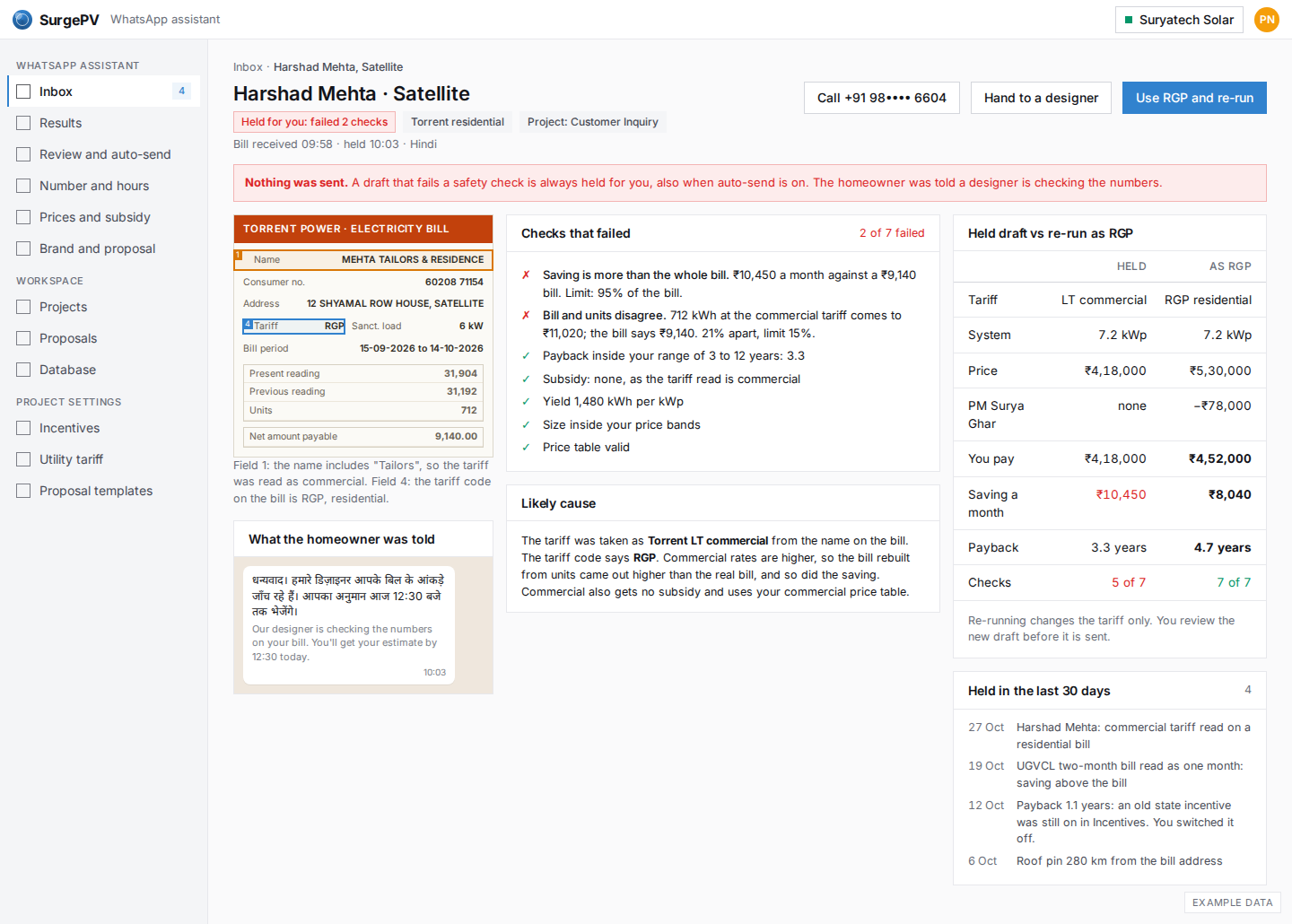
Held: saving higher than the bill
A residential bill in the name "Mehta Tailors & Residence" was read as commercial. The saving came out higher than the bill (₹10,450 against ₹9,140), so the draft was held and the homeowner was told a designer is checking. Re-run as RGP: ₹4,52,000 after subsidy, ₹8,040 a month, 4.7 years.
Outside India: Mexico
WA18
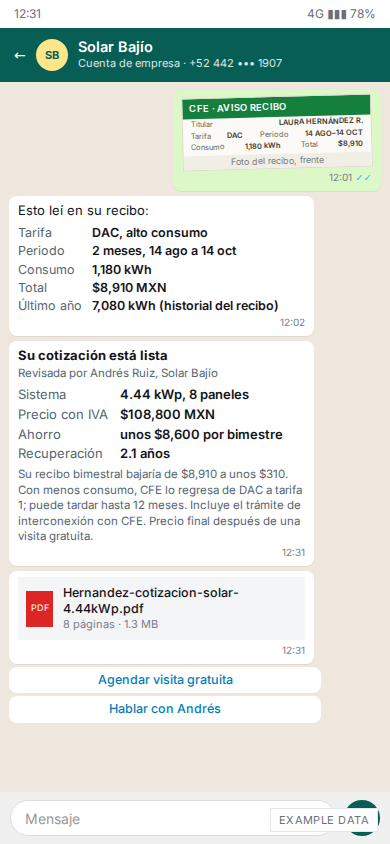
Phone: Mexico, a CFE DAC bill in Spanish
A Querétaro installer, Solar Bajío. The bill covers two months on the high-use DAC tariff: 1,180 kWh, $8,910 MXN. The estimate: 4.44 kWp for $108,800 MXN with IVA, no subsidy, about $8,600 saved per two-month bill, 2.1-year payback.
WA19
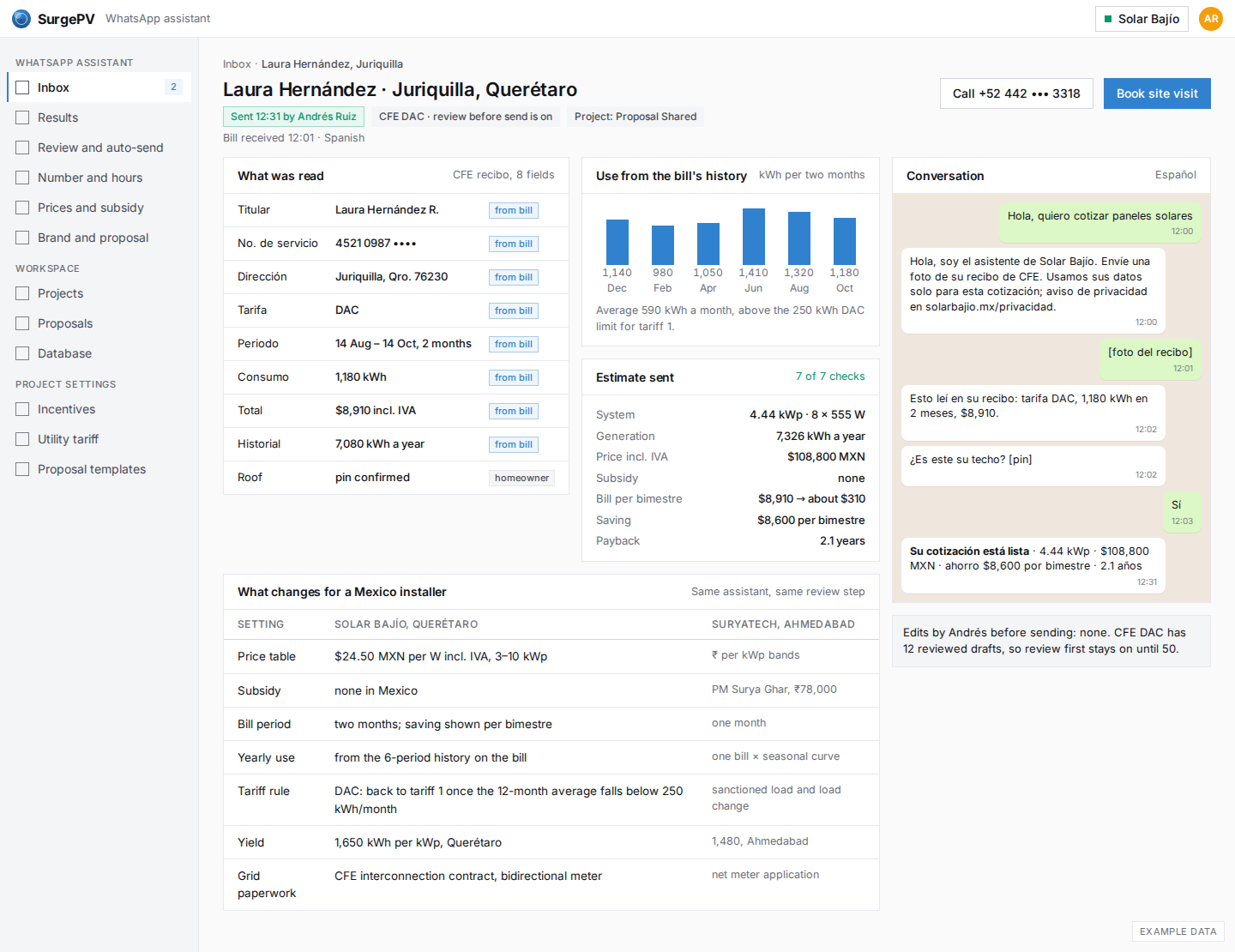
Mexico: the same lead page, what changes
The installer's view of the same conversation: the CFE fields read, a year of use taken from the bill's own history, the estimate sent, and a table of what changes for a Mexico installer (per-W price, no subsidy, two-month bills, the DAC rule, CFE interconnection).