SurgePV · customer demos · example data · 27 Oct 2026
Six features to show a prospect before we build them
6 demos, 113 screens. Each one walks a prospect through a feature from their side, with two or more kinds of customer, so you can pick the variant that matches who is on the call. Every number is example data.
SF · 16 screens
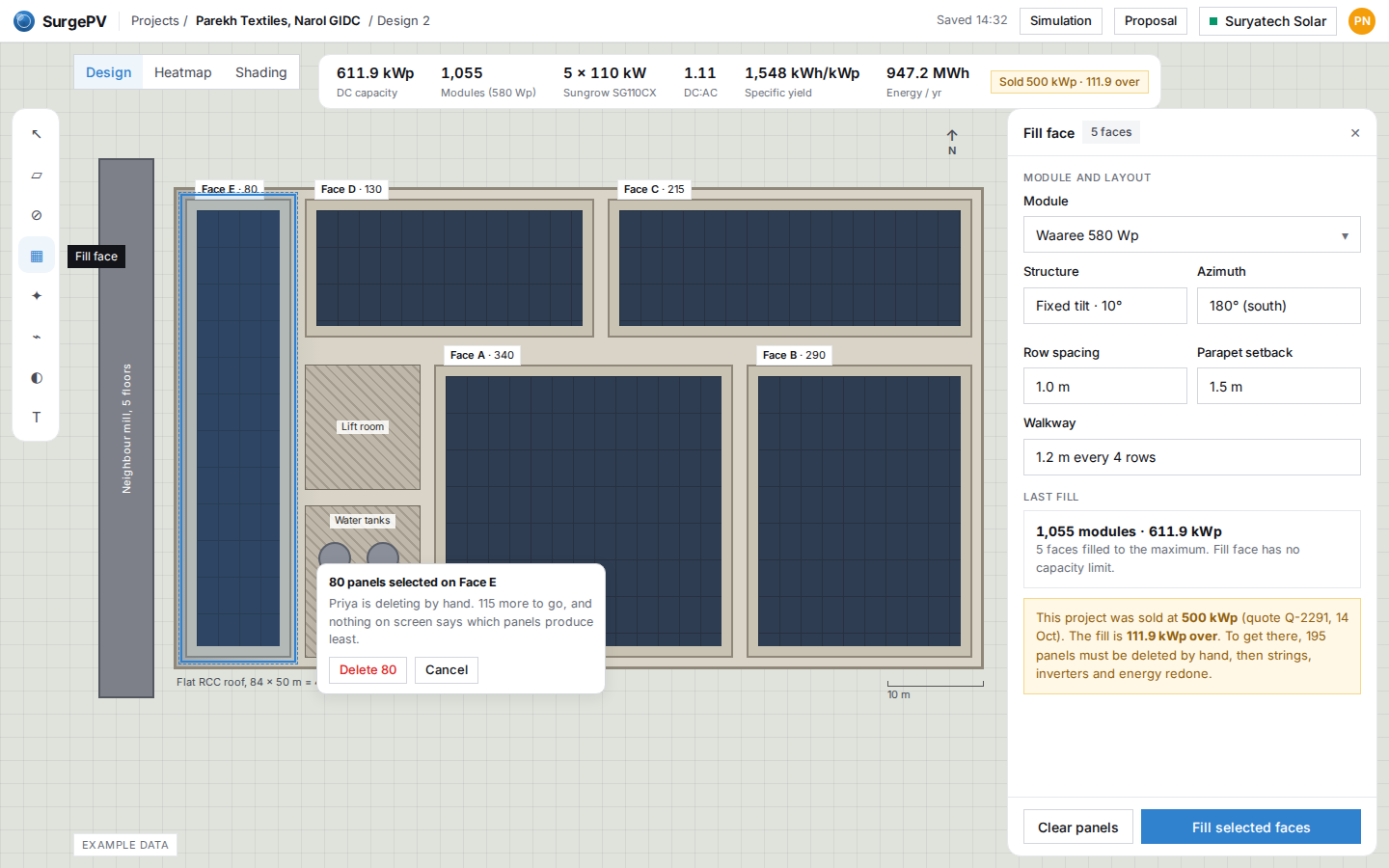
Smart Fill
Fill a roof to the kW you sold, on the faces that produce most
- Show to
- Commercial EPC designers and sales engineers in India (many moving from Arka) and C&I designers in the US and Canada who size systems to a sold kWp, a sanctioned load or an interconnection limit.
- They learn
- Type the size you sold and SurgePV fills the sunniest parts of the roof to that size in whole strings, recomputes everything, and turns it into three sized options with a plain-words page for the end customer.
TB · 19 screens
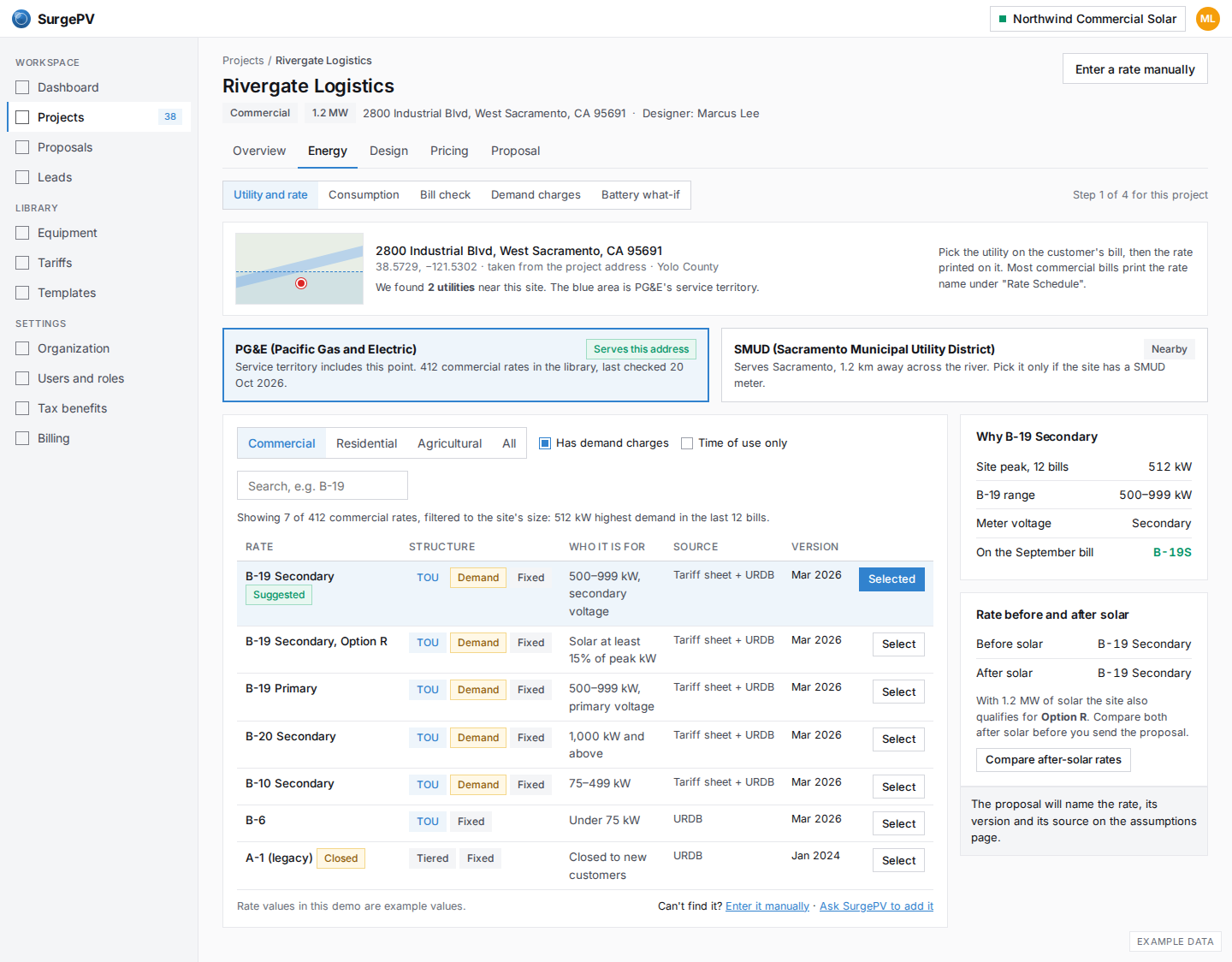
Real tariffs, bill check, demand charges and tax benefits
Pick the customer's real rate, prove it on last month's bill, show demand savings apart, and add depreciation to payback
- Show to
- C&I installers in the US and Canada (current or former Energy Toolbase users), Indian HT and commercial EPCs, and Mexican C&I installers on CFE GDMTH.
- They learn
- SurgePV rebuilds your customer's real utility bill from the real rate and their meter data, so energy savings, demand savings and tax benefits on the proposal are numbers the owner can check against their own bill.
LB · 19 screens
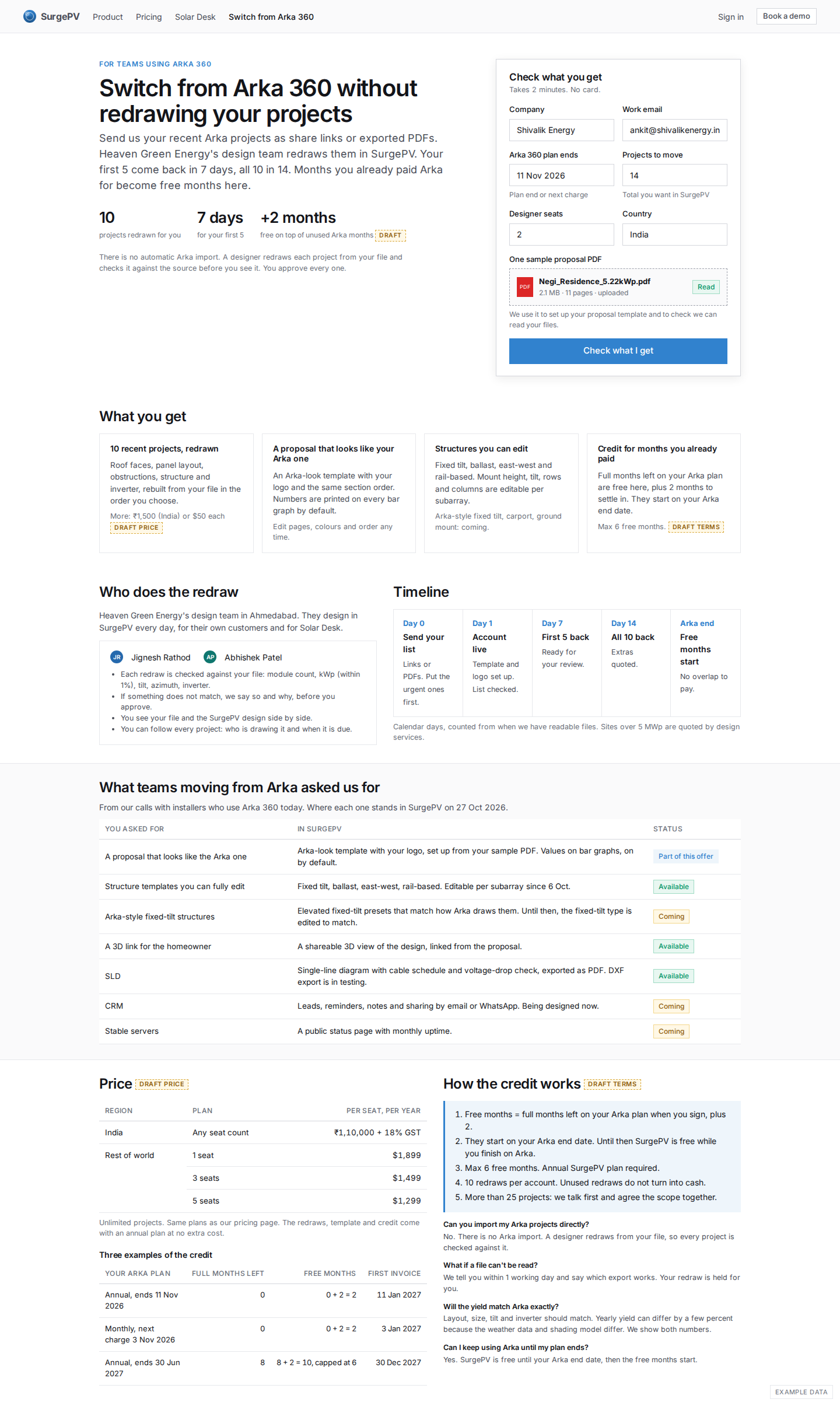
Switch from Arka 360
Move to SurgePV without redrawing your projects: we redraw them, you approve each one
- Show to
- Installers still paying for Arka 360: small and mid EPCs in India, and rest-of-world accounts like Stage Zero Solar in Cape Town.
- They learn
- You can leave Arka without redrawing your old work: our design team redraws your recent projects against your own files, your proposals keep the look your customers know, and the months you already paid Arka for are not lost.
DQ · 20 screens
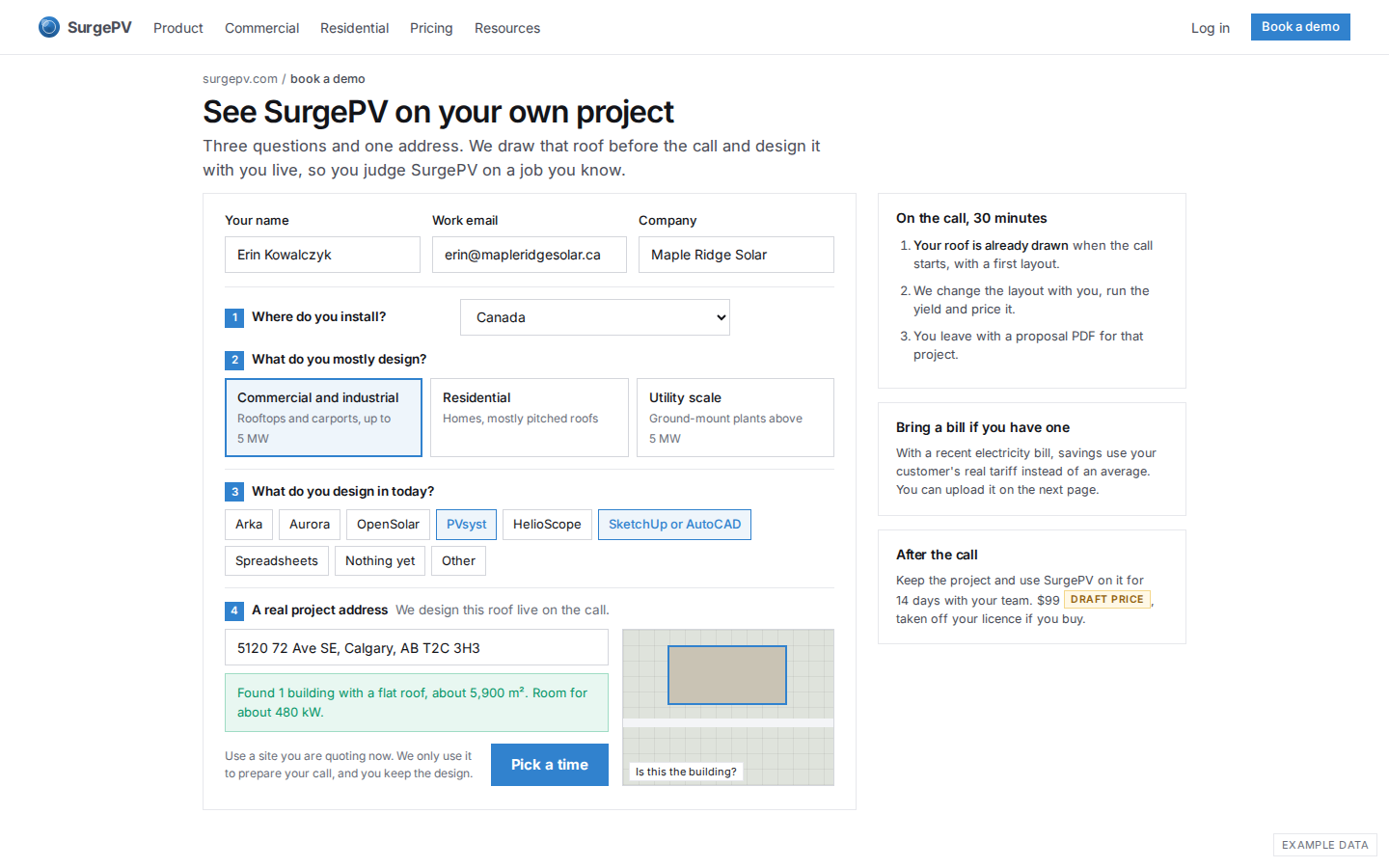
Try SurgePV on your own project
From the demo form to a 14-day pilot on a real roof, to a licence
- Show to
- Any new prospect: a commercial EPC in India, a commercial installer outside India, or a home installer outside India who needs pitched roofs.
- They learn
- You see your own roof designed on the first call, keep it for 14 days with your logo, prices and team, send a real proposal to your customer, and decide on day 14 with the $99 counted toward the licence.
WA · 19 screens
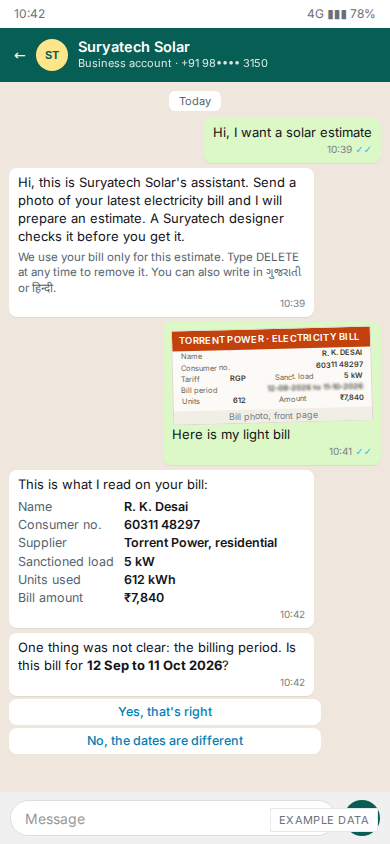
WhatsApp proposal assistant
A homeowner sends a bill to your WhatsApp; your team reviews a draft estimate and sends it
- Show to
- Indian residential and small-commercial installers who get leads on WhatsApp in Gujarati, Hindi or English; WA18-19 for a Mexico installer selling to CFE DAC homes.
- They learn
- A homeowner's bill photo becomes a priced estimate from your own number, prices and brand within the hour, and nothing goes out without your review until a bill type has proven itself.
API · 20 screens
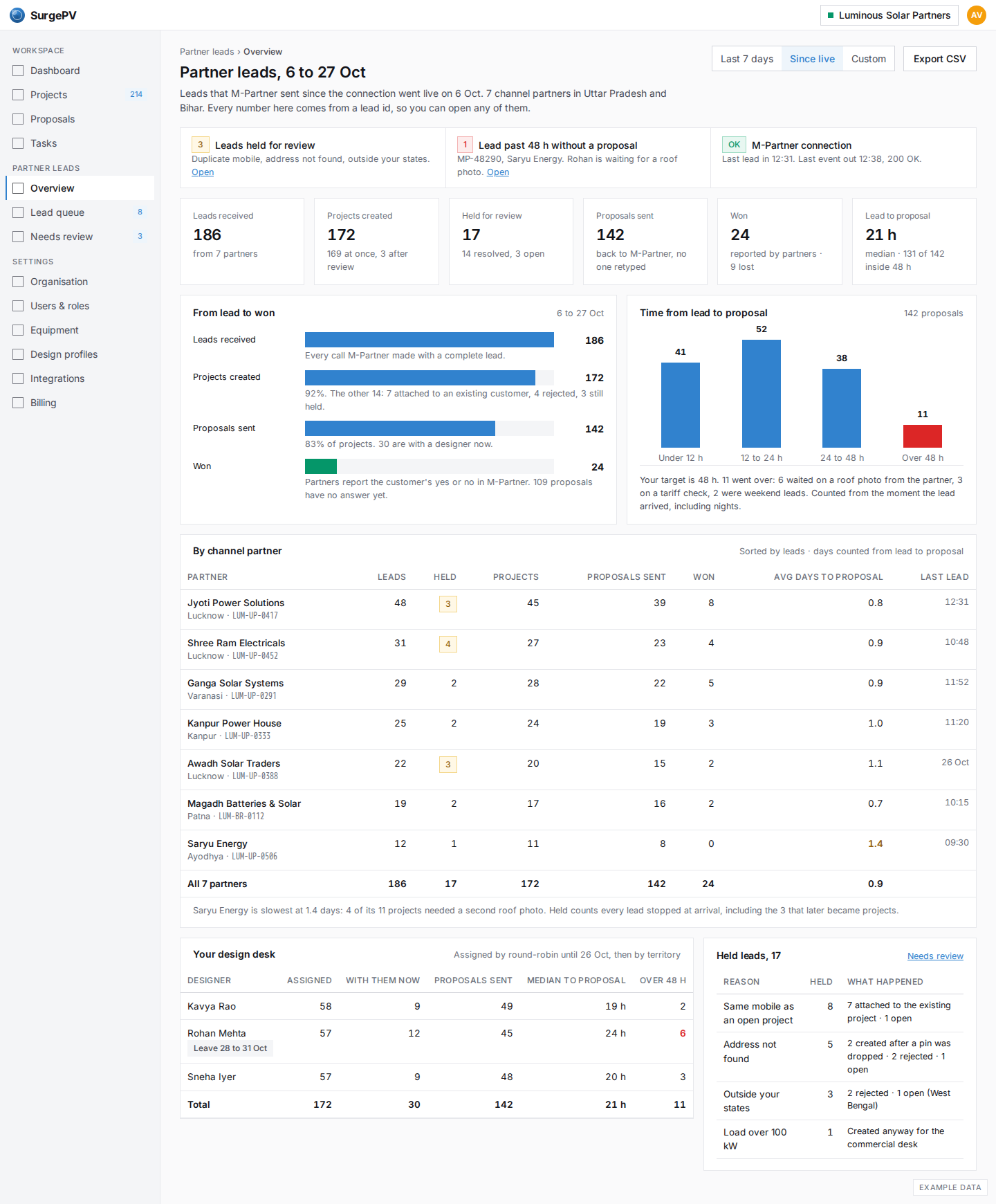
Partner integrations
A brand's channel-partner leads become SurgePV projects on their own, and proposals and status flow back
- Show to
- A module or inverter brand with a channel-partner app (its product or IT lead and its channel head), or a large EPC or distributor that runs sales in Zoho, HubSpot or Salesforce.
- They learn
- Your partners keep using their own app or CRM; every lead becomes a SurgePV project with a designer in seconds, and the proposal link, PDF and status go back without anyone retyping or chasing.
On a call
- Open a demo, share your screen, and use ← → to move. P plays it on a timer.
- Press N or click Presenter notes to see the question to ask on each screen and a box for what the prospect says. Notes stay in this browser; Copy notes puts them on the clipboard for the CRM.
- Turn presenter notes off before you share the screen if you do not want the prospect to see them.
- After the first visit every demo works without internet.